Lesson tools: boxes, diagrams and formulas
The “Learning” editor has tools that add note boxes, diagrams, structural formulas and equations to the text. They are in the editor’s toolbar: in a lesson’s text and notes, a course’s description, a question’s text and explanation, and a quiz’s instructions. In a question’s choices you find all of them except “Callout box”.
Diagrams and structural formulas count as images, and one text holds 20 images at most.
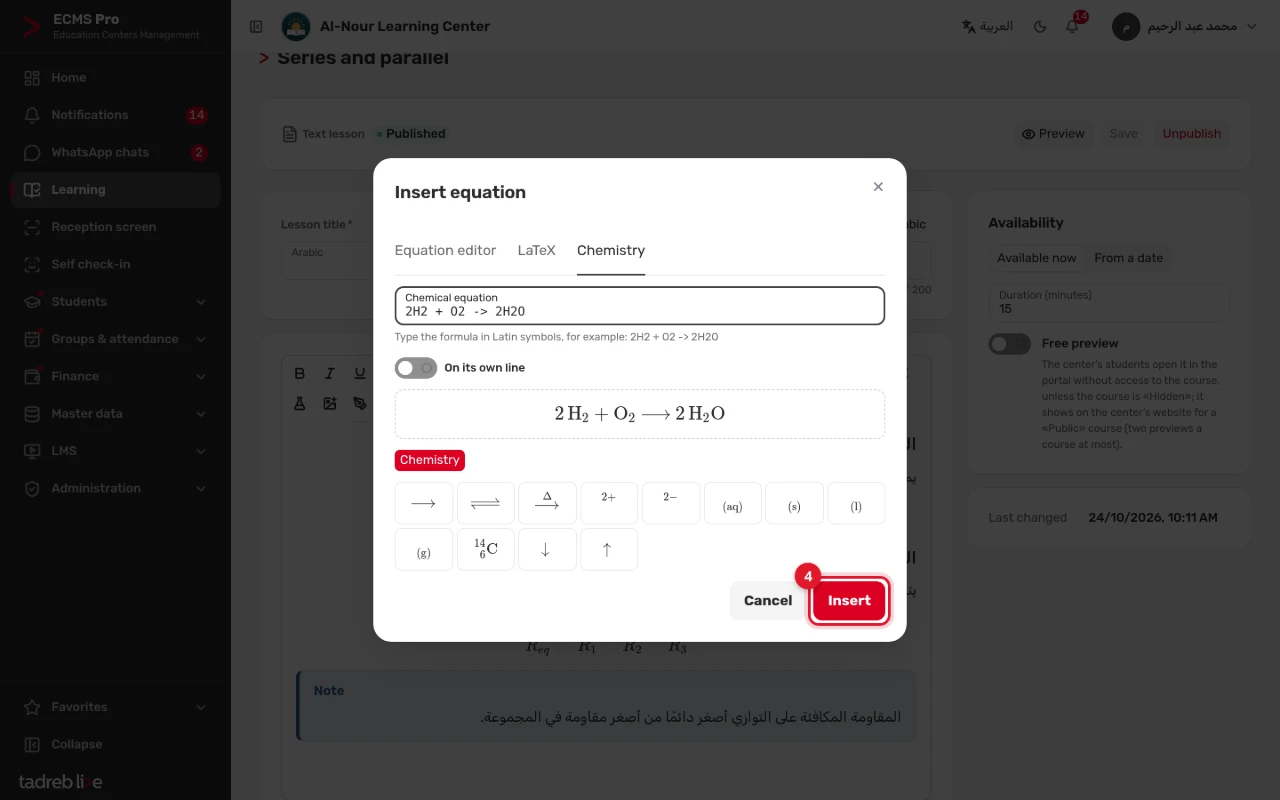
1. Add a note box
- Select the paragraphs, then press “Callout box”.
- Choose the box’s kind: “Note”, “Tip” or “Warning”.
- To take the text out of the box, press “Remove the box”.
A box cannot go inside another box.
2. Draw a diagram
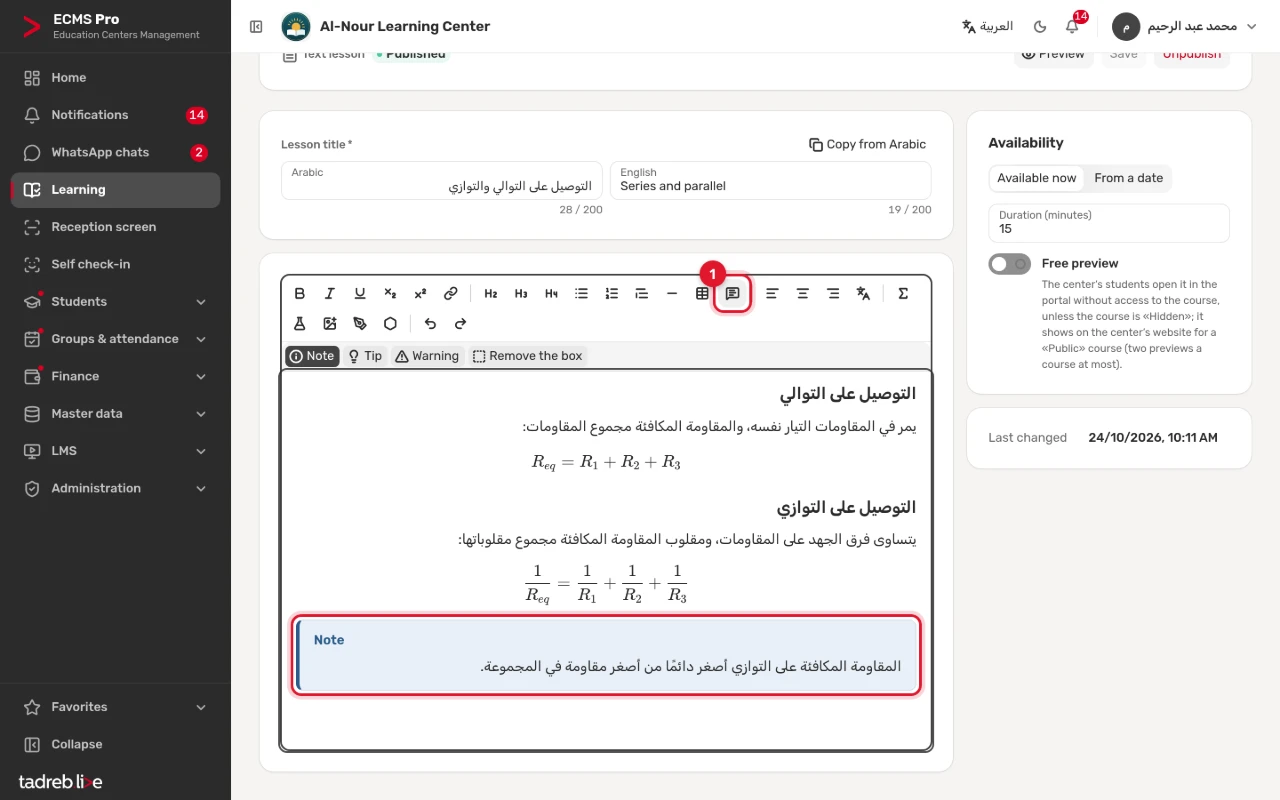
- Press “Diagram”.
- Draw on a white canvas, or choose a “Background picture”, such as a photo of a device or a map, to put arrows and labels on.
- Choose a tool, then draw on the canvas: “Line”, “Arrow”, “Two-way arrow”, “Rectangle”, “Ellipse” or “Freehand”.
- To write a label, choose “Text”, type the “Label text” first, then click where it goes on the canvas. Arabic labels are written right to left.
- To draw an electric circuit, choose “Circuit symbol”, then the “Symbol”, such as a resistor, a battery, a bulb or an ammeter, then its “Rotation” and “Symbol label (optional)”.
- Choose the “Colour” and the “Line width”, and “Dashed line” or “Fill” as the shape allows.
- To move or remove a shape, choose “Select and move”, or pick it from the list of shapes, then move it with the arrow keys or remove it with Delete.
- Write the “Alt text”, which is required: what the diagram shows, for someone who cannot see it. Then press “Insert the diagram”.
A diagram holds 300 shapes at most. To change a diagram you inserted, click it in the text.
3. Add a structural formula
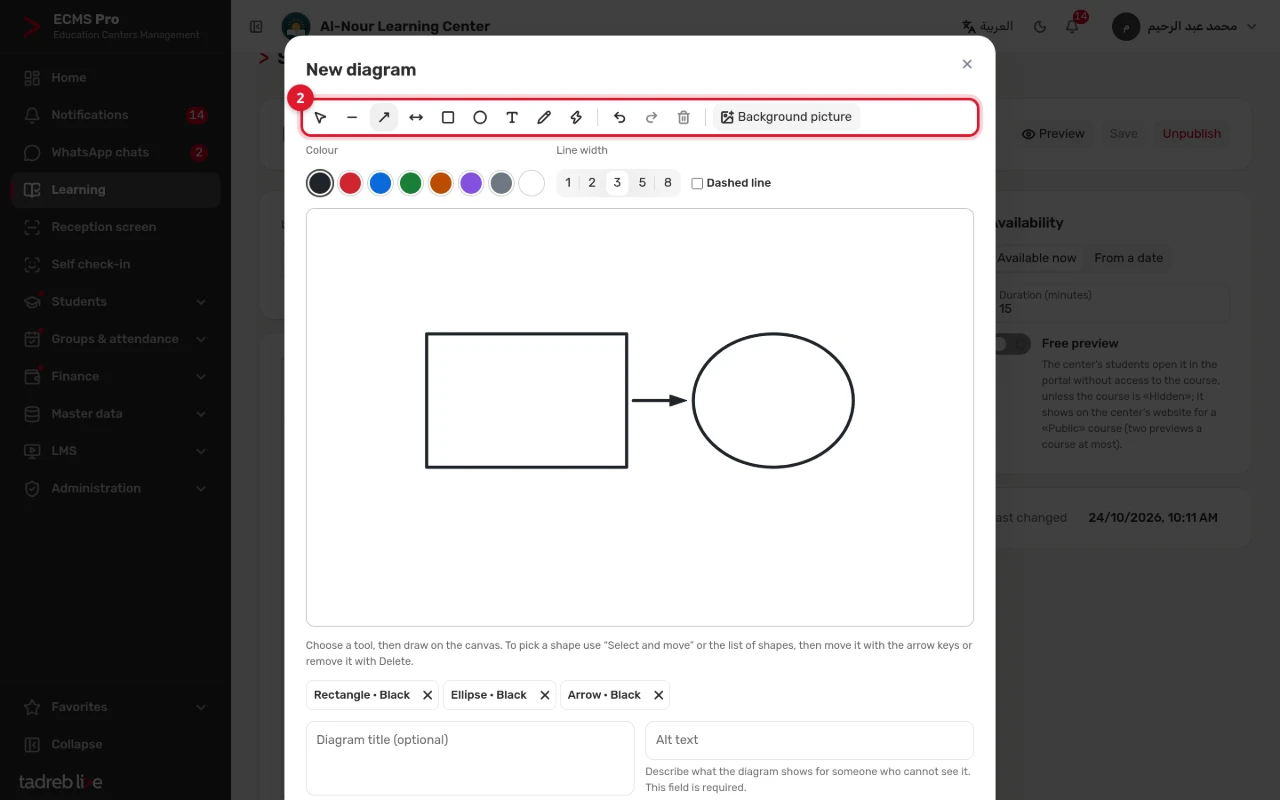
- Press “Structural formula”.
- Draw the compound in the structural formula editor, or type it in “Formula as SMILES”, such as CCO for ethanol or c1ccccc1 for benzene.
- Press “Show the formula”. The formula is drawn on the platform’s servers, and its preview appears.
- Write the “Alt text”, which is required: the compound’s name or a description of the formula. Then press “Insert the formula”.
The limits of structural formulas:
- A formula holds 250 atoms at most; a very large or very complex formula is refused, with the reason.
- Each center has a daily limit on the formulas drawn. Once the center reaches it, try again the next day.
- If the formula editor cannot be loaded, type the formula as SMILES.
4. Add an equation
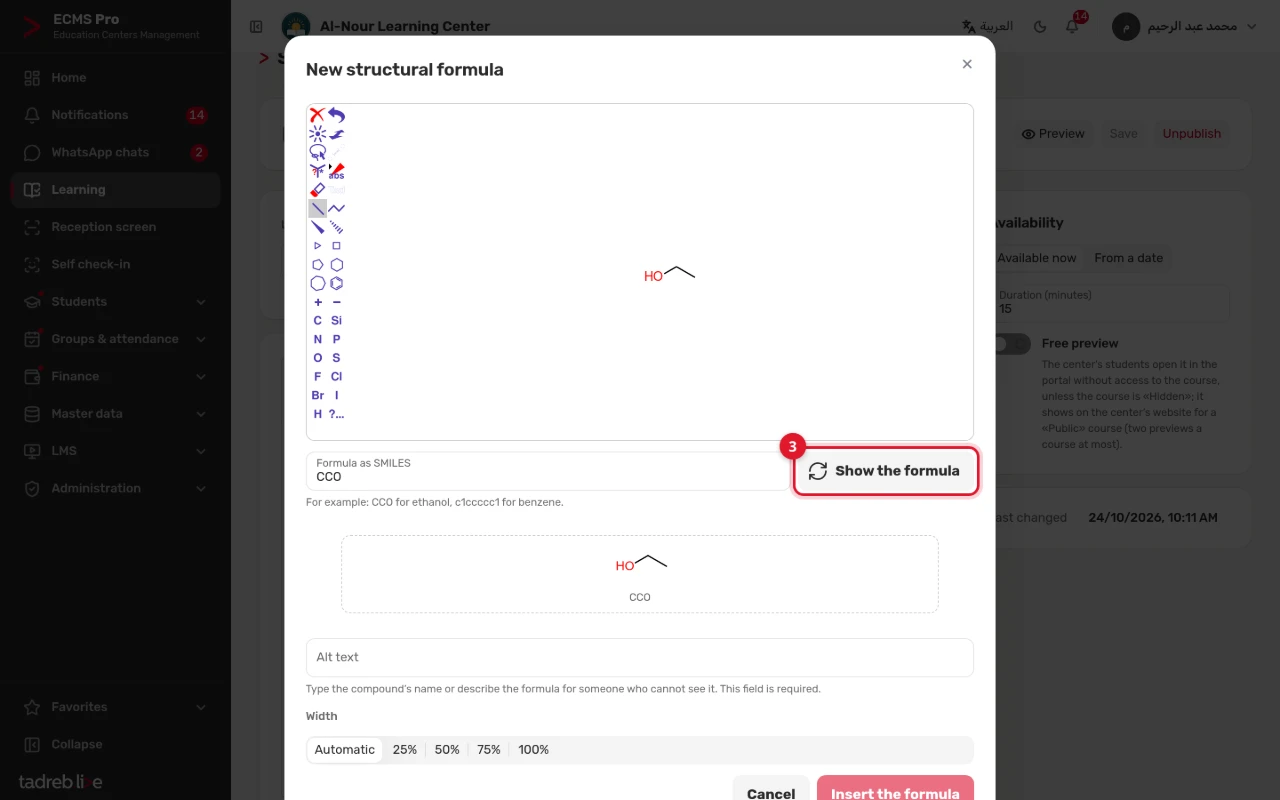
- A math or physics equation: press “Equation”, write it in the “Equation editor” or in the “LaTeX” tab, then press “Insert”. Choose “On its own line” to show the equation alone on a line.
- A chemical equation: press “Chemical equation”, type the formula in Latin symbols, such as 2H2 + O2 -> 2H2O, then press “Insert”.