New
Online learning for your students
Online courses, lessons and quizzes your students study in the center’s portal on a phone or a computer, with encrypted videos that do not play outside the student’s account. “Learning” is included in the Learning plan and in the free trial.
Courses with their units and lessons
A course is made of units, and each unit of lessons: text lessons with math, physics and chemistry formulas, PDF files, video lessons from YouTube, Vimeo, Google Drive, Facebook and other platforms, and online quizzes. A platform’s player loads only when the learner presses play.
Online quizzes, graded automatically
Write your questions in the question bank, in types such as “Multiple choice (one answer)”, “True or false”, “Numeric answer” and “Essay”, then build a quiz from questions you pick or that are drawn at random from the bank, and set its duration and dates. The quiz is graded automatically, except essays, which the teacher grades, and it can be linked to an exam in “Exams” so that its marks go there.
Protected video lessons
Upload a lesson video yourself: it is processed on the platform’s servers, and your students watch it in your center’s portal in a protected player, with encrypted videos that do not play outside the student’s account, one device at a time and a limit on devices, and a moving watermark that reveals who leaked the video.
Students sign in themselves; guardians follow
A student signs in with their own mobile number registered at the center, or with their student code and a PIN the center gives them, and studies in the portal on a phone or a computer. Guardians follow their children’s progress and results.
You choose who studies each course
Open a course to all the center’s students, a group’s students, a grade, those who paid the month or the full course, or one student. Access follows the center’s own data: when a student moves to another group, pays the month or has a payment cancelled, what they see changes at once.
5 GB for learning files
The Learning plan includes 5 GB for the files you upload to “Learning”: the PDFs, pictures and diagrams in your lessons, and videos once converted, in all their qualities. A video’s original file, kept for 30 days for reprocessing, does not count, nor do video lessons from YouTube and other platforms. The center’s owner adds space with packs of “Extra learning storage 5 GB”, and if the space fills up, nothing is deleted.
Inside the system
A course with its units and lessons, a text lesson with its formulas, the quizzes, protected video lessons and what the student sees in the center’s portal, as they look in ECMS Pro.
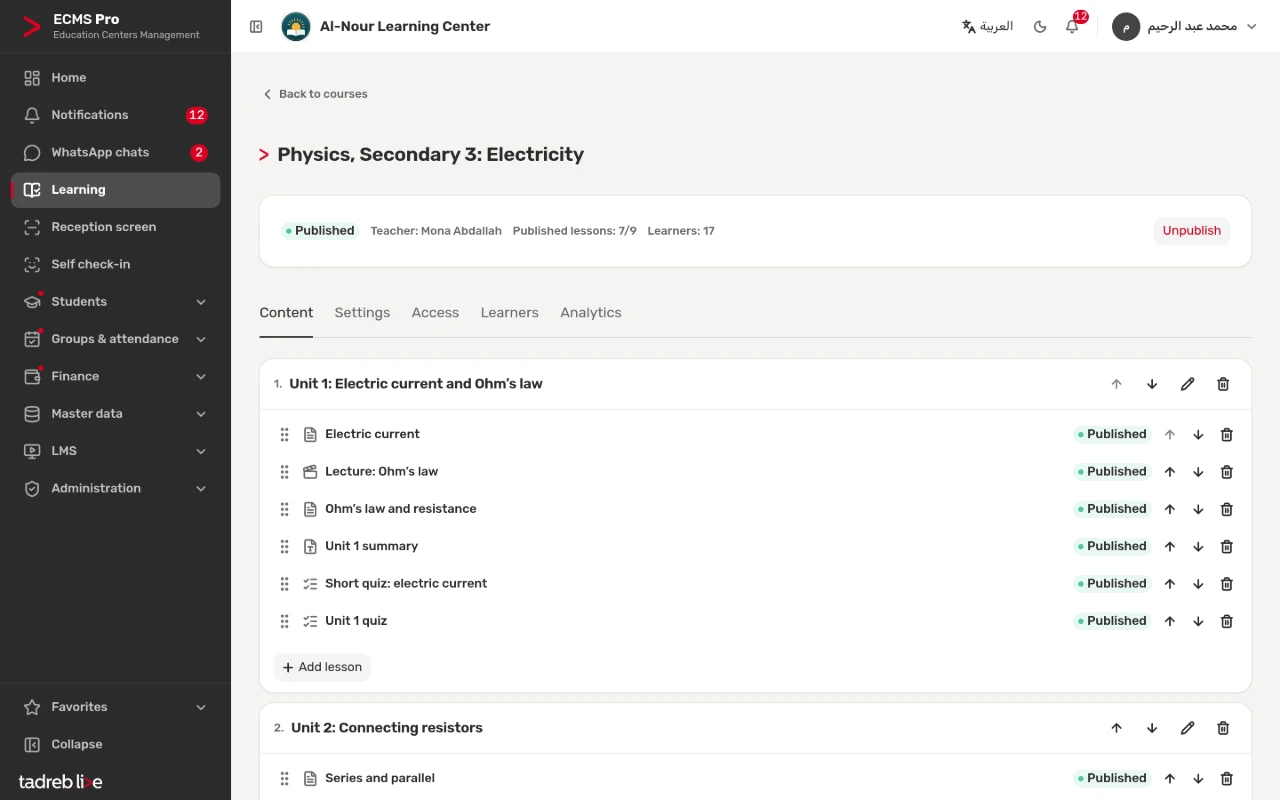
A course with its units and lessons
A course is made of units, and each unit of lessons: text lessons, video lectures, PDF files and online quizzes, each with its state, published or draft.
- The teacher, the published lessons and the number of learners at the top of the course.
- You choose who studies the course: every student, a group, a grade, or those who paid the month.
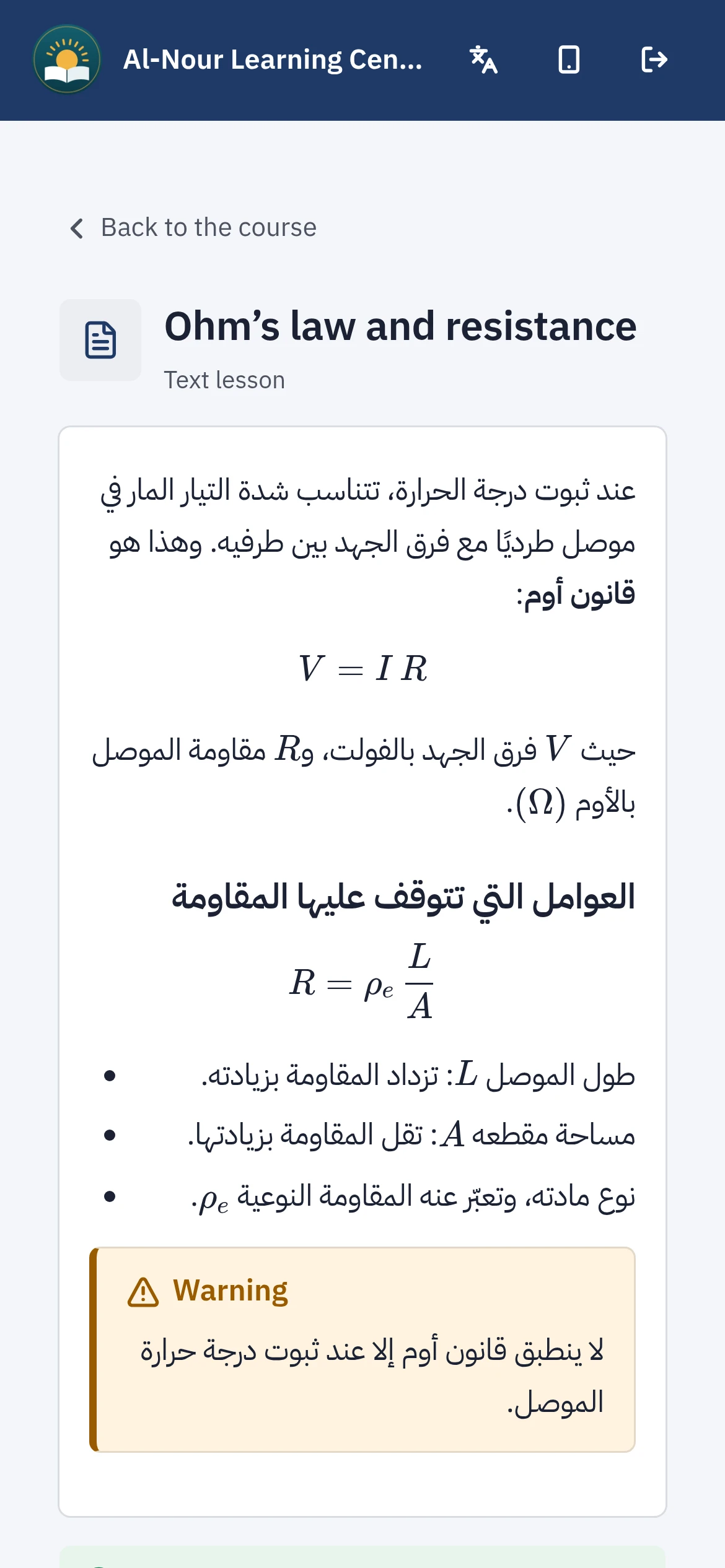
A text lesson with its formulas
Text lessons with math, physics and chemistry formulas, read by the student on their phone, who then taps “Done” at the end of the lesson.
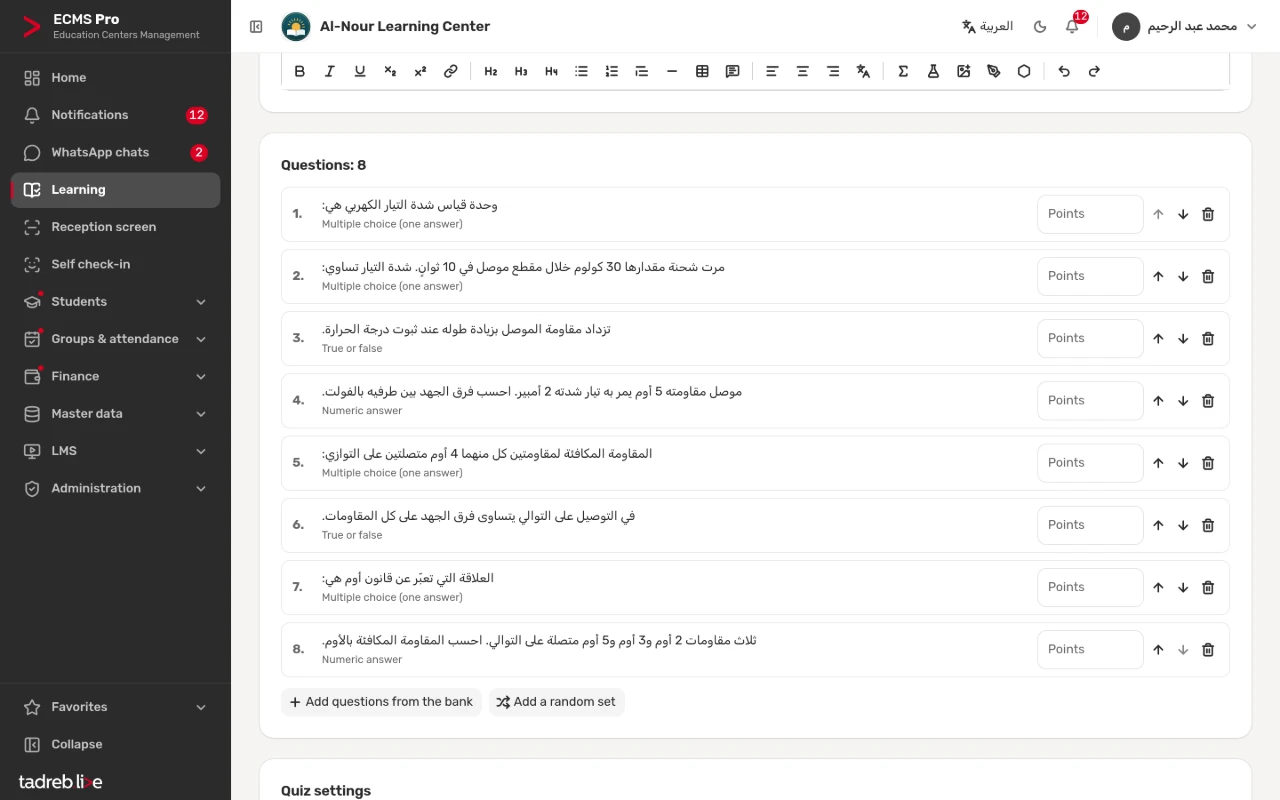
A quiz from the question bank
Pick the quiz’s questions from the question bank or draw them from it at random, and set its duration, the attempts and what the student sees after submitting.
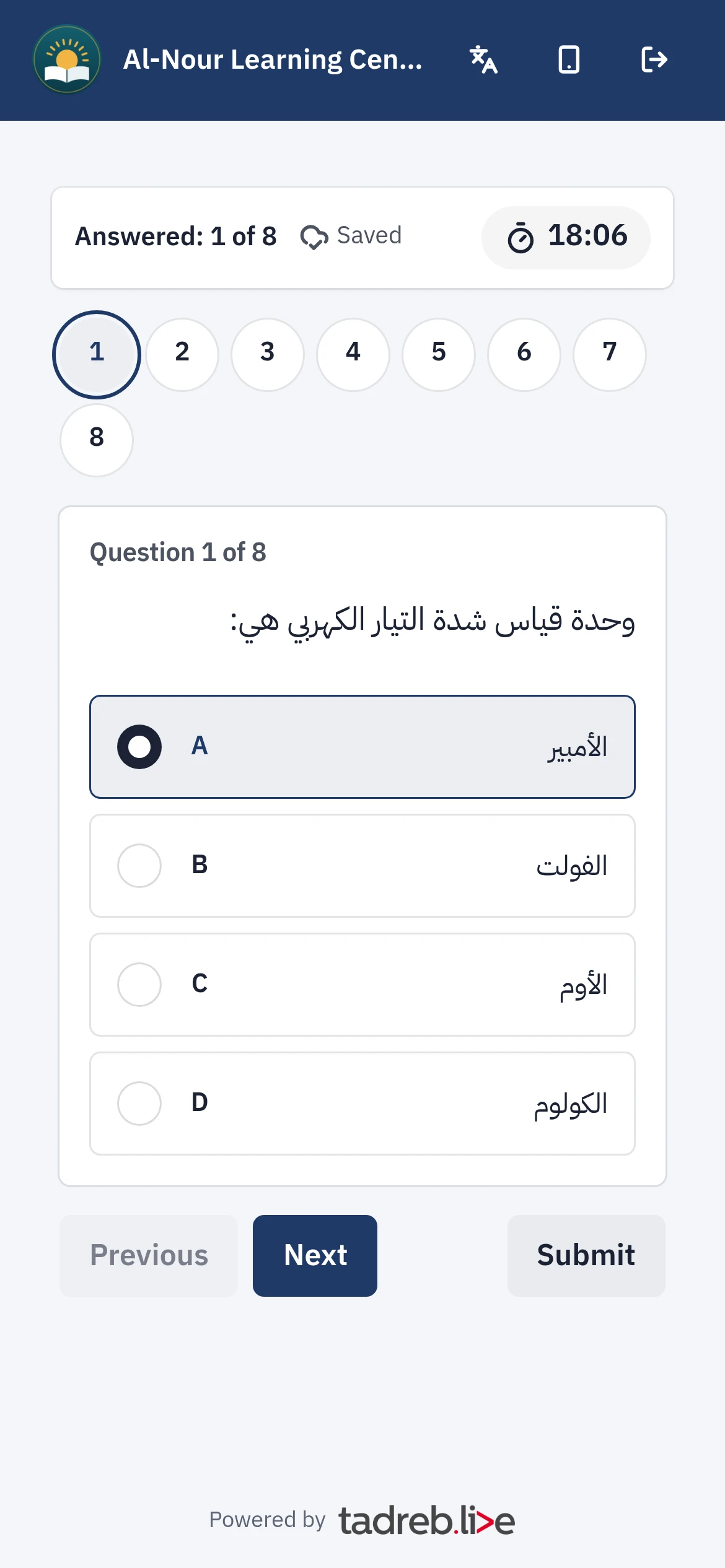
The student takes the quiz on their phone
One question per page with the time left shown; the quiz is graded automatically, except essays, which the teacher grades.
Upload the lesson video yourself
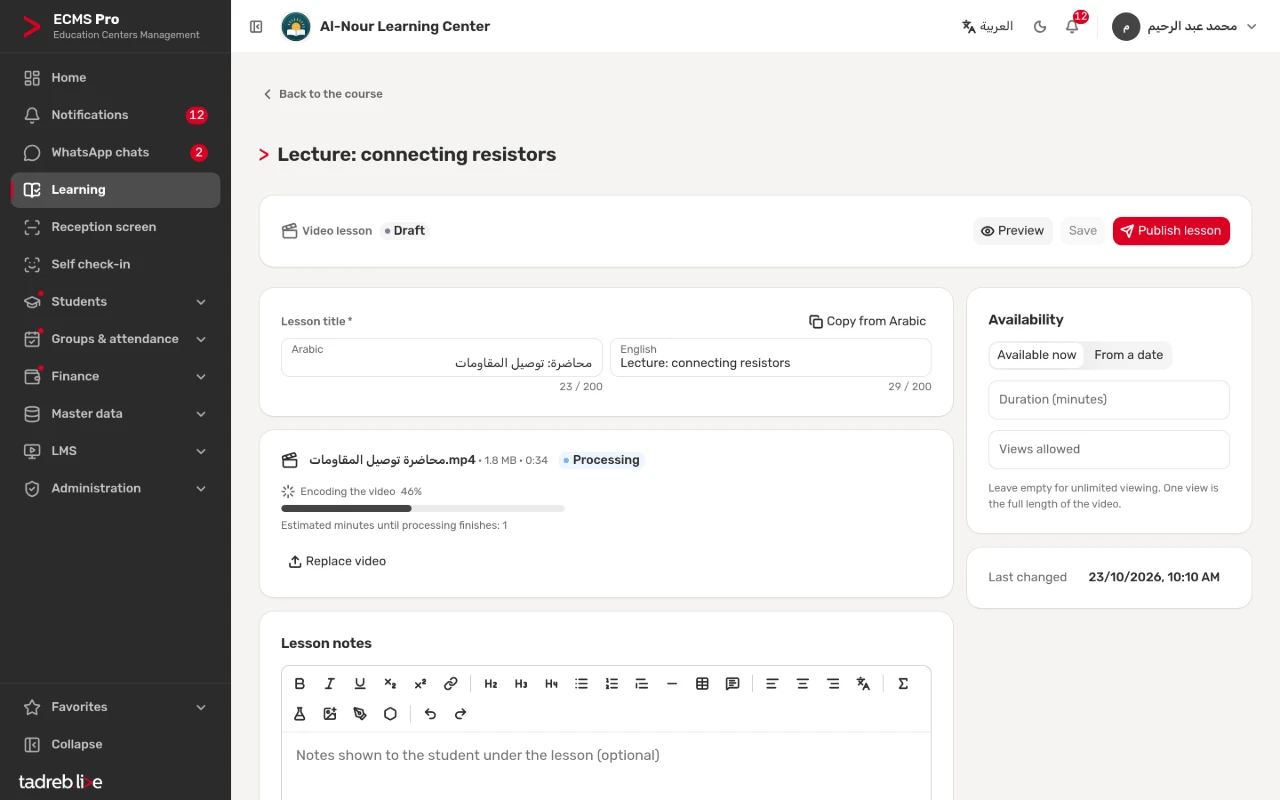
Upload the video on the lesson page: it is processed on the platform’s servers, with the processing stage and its progress shown, then it is ready to publish.
The protected player
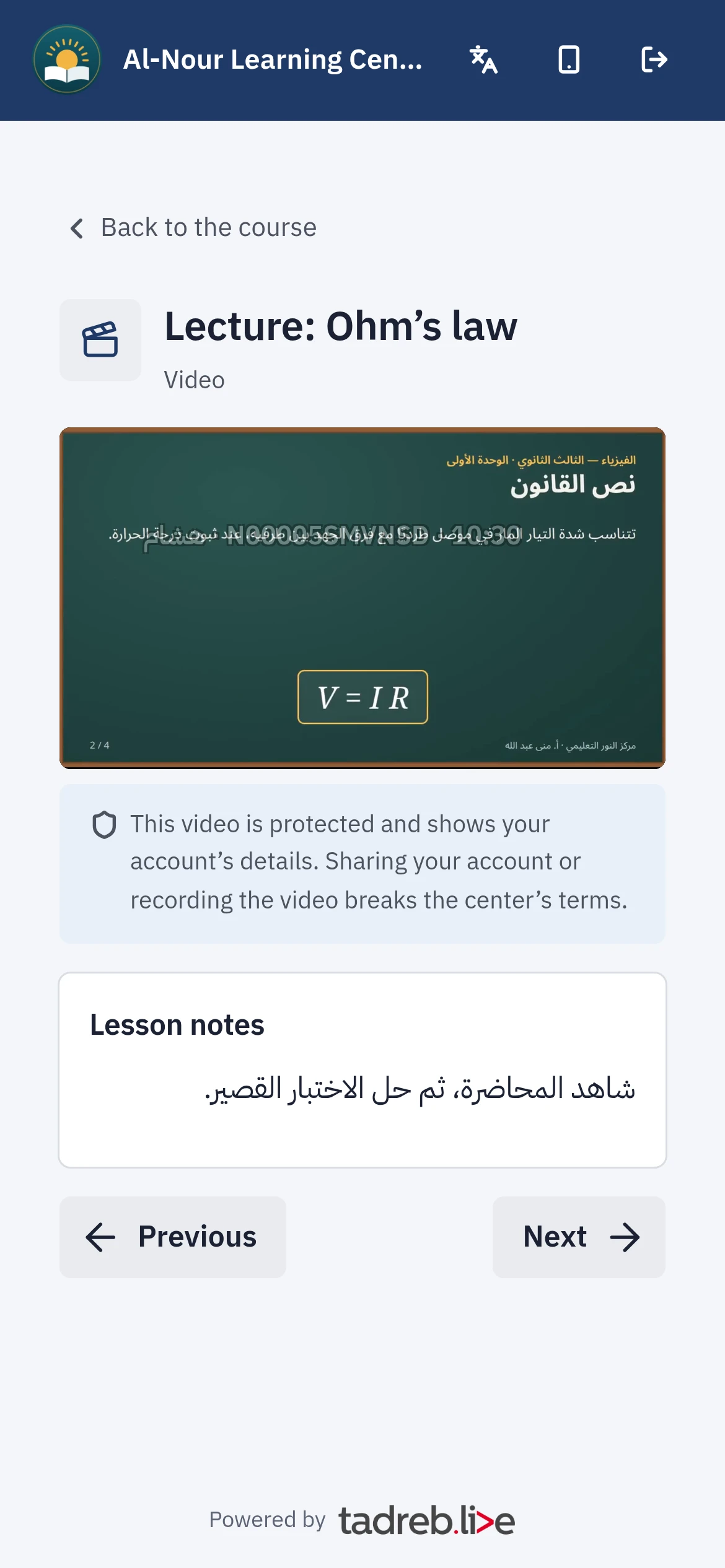
The student watches the lecture in the center’s portal in a protected player: encrypted videos that do not play outside the student’s account, one device at a time and a limit on devices, and a moving watermark that reveals who leaked the video.
“Learning” in the student’s portal
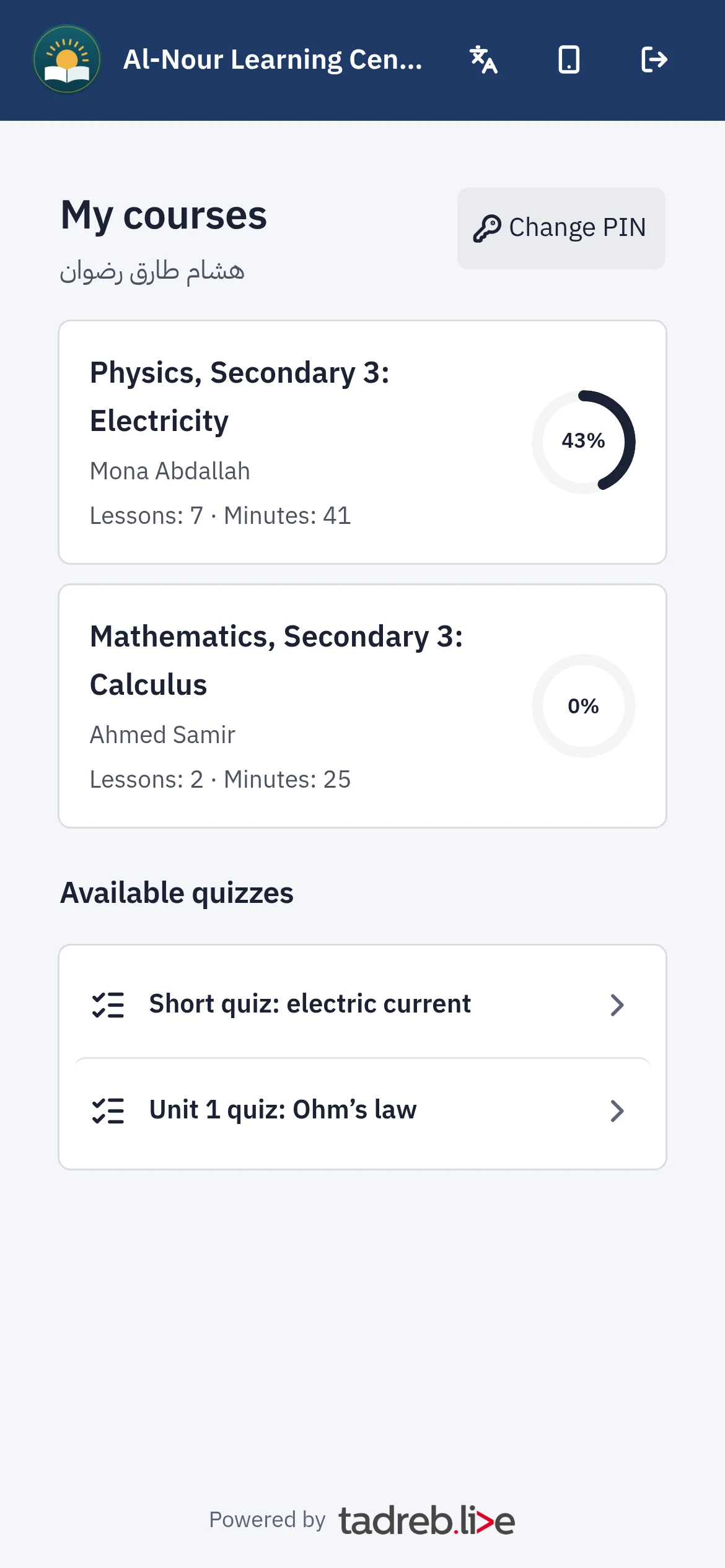
The student signs in with their mobile number or with their student code and PIN, finds their courses and their progress in each, and continues where they stopped.
The learning storage in “Your plan”
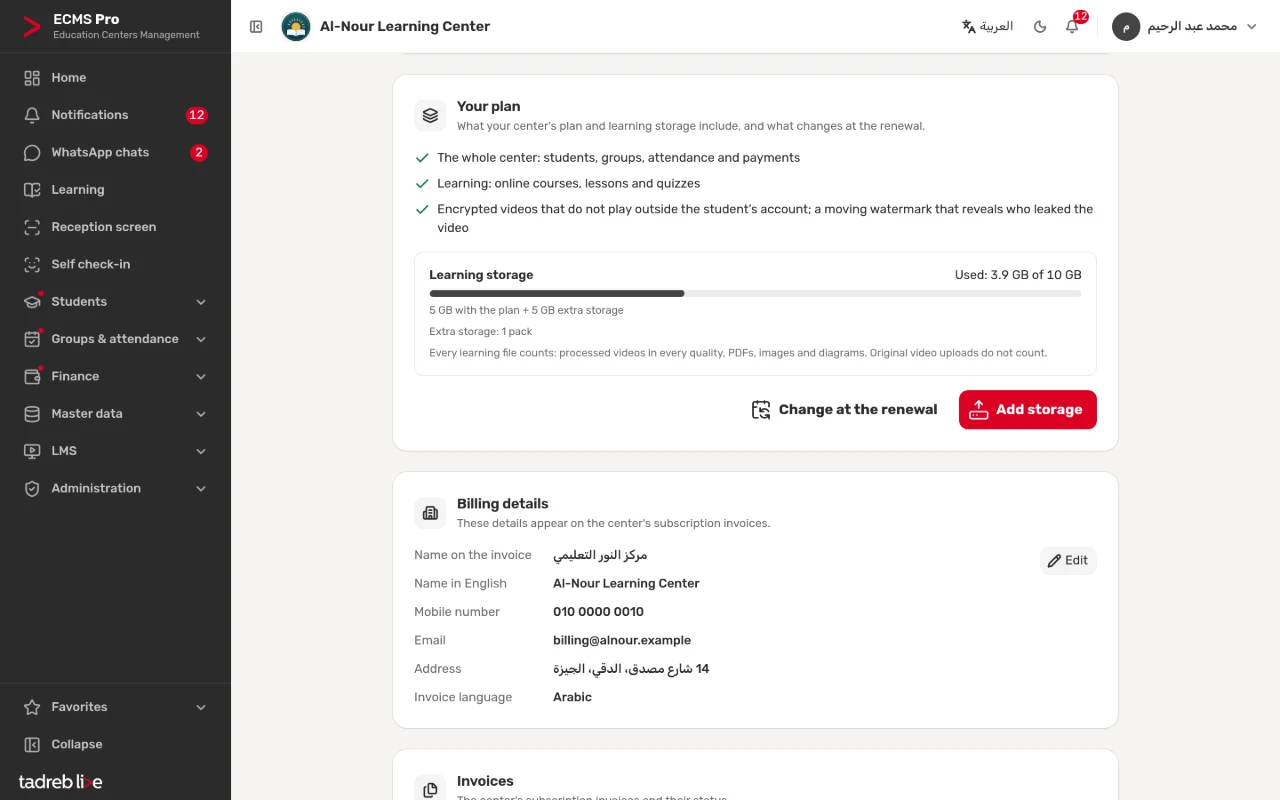
The learning storage used shows on the “Center subscription” page: 5 GB in the Learning plan, raised by packs of “Extra learning storage 5 GB”.
Frequently asked questions
Is “Learning” in both plans?
No. “Learning” is included in the Learning plan and in the free trial, not in the Basic plan. The center owner moves from the Basic plan to the Learning plan on the “Center subscription” page on any day of the paid period, and pays the price difference for the days left in it only. The prices are on the pricing page.
Can a student record a video?
Nothing can fully stop screen recording in a browser, and a screen can always be filmed with another phone, but the watermark reveals the account holder.
What happens to my courses if I go back to the Basic plan?
“Learning” stops for your students and staff from the next renewal, but nothing is deleted: courses, quizzes and files are kept and come back when you upgrade.
Who sees a student’s data in “Learning”?
The center is the controller of its students’ data in “Learning”, and the platform processes it on the center’s behalf. The student sees their own progress and results, guardians see their children’s, and a teacher sees only the students of their own courses.
Try online learning at your center
A 14-day free trial with every feature, no payment details.
Or talk to our sales team on WhatsApp.