A results link for every student: parents follow their child without signing in
Parents want to know how their child is doing now, not in an end-of-month report. Calling the center every week suits nobody: not the parent, and not the staff member searching the notebooks for an answer.
So every student in ECMS Pro has a private results link that a parent opens on a phone at any time.
What a parent sees
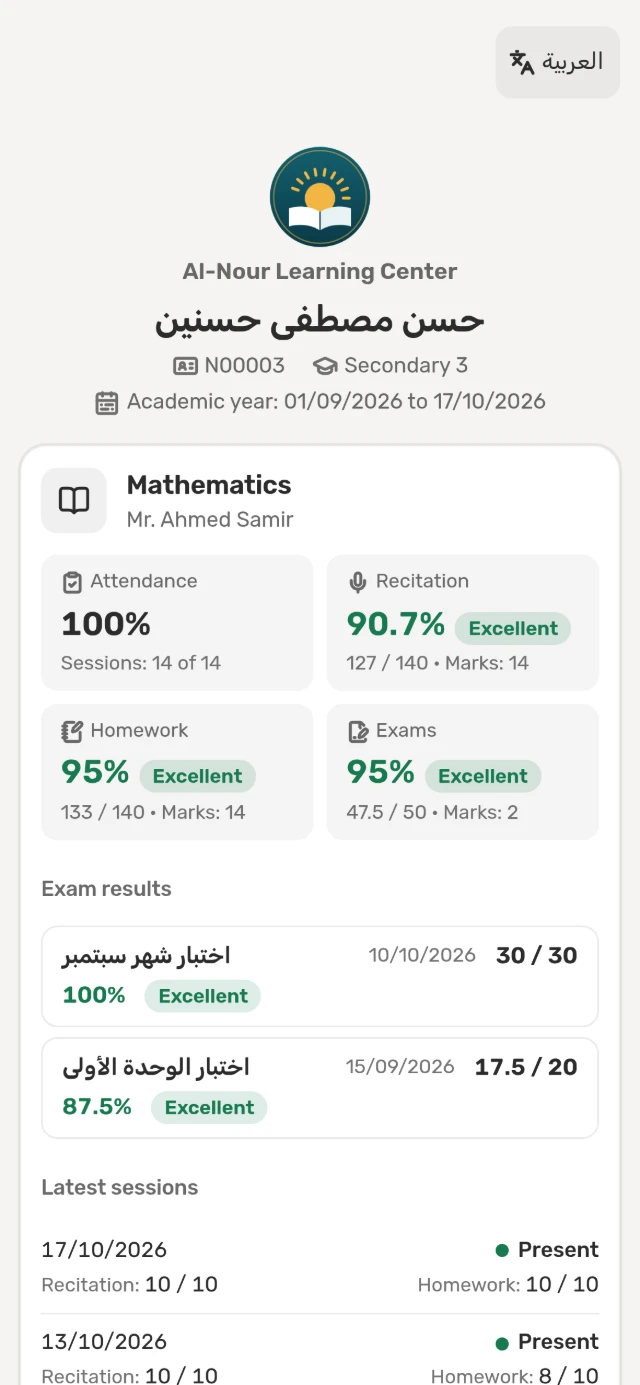
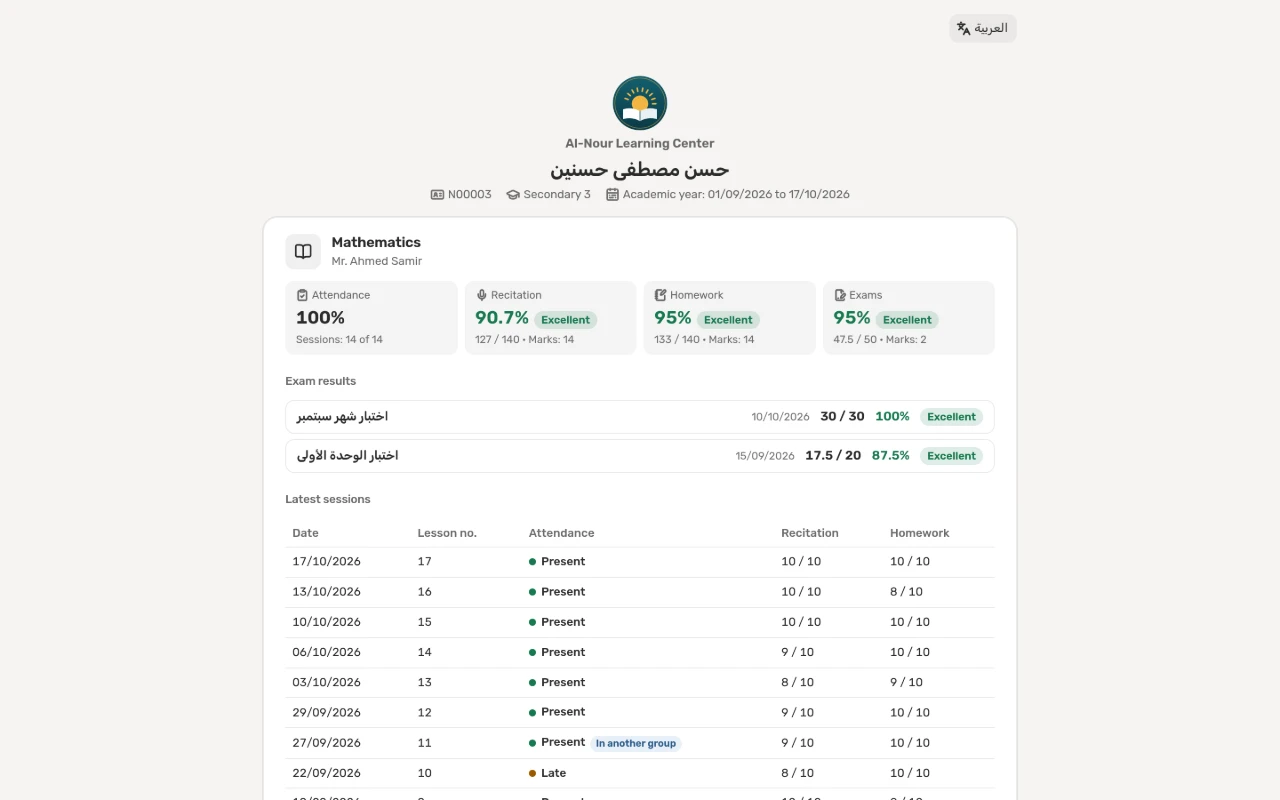
One card per subject and teacher, with:
- the attendance rate in the student’s own group;
- the recitation, homework and exam averages, each with its rating: excellent, very good, good, pass and weak;
- the latest sessions with their date, attendance and marks;
- the published exams with their score, percentage and rating.
The page covers the academic year when you have set it in the settings and it has started, otherwise the last 120 days.
And what it never shows
The page is a fixed list of what it shows, and nothing else: no phone numbers, no parent details, no amounts, no notes, no other students and no unpublished exams. Nobody sees an exam’s results before you press “Publish results”.
Where the marks come from
From the center’s daily work itself, with no extra data entry:
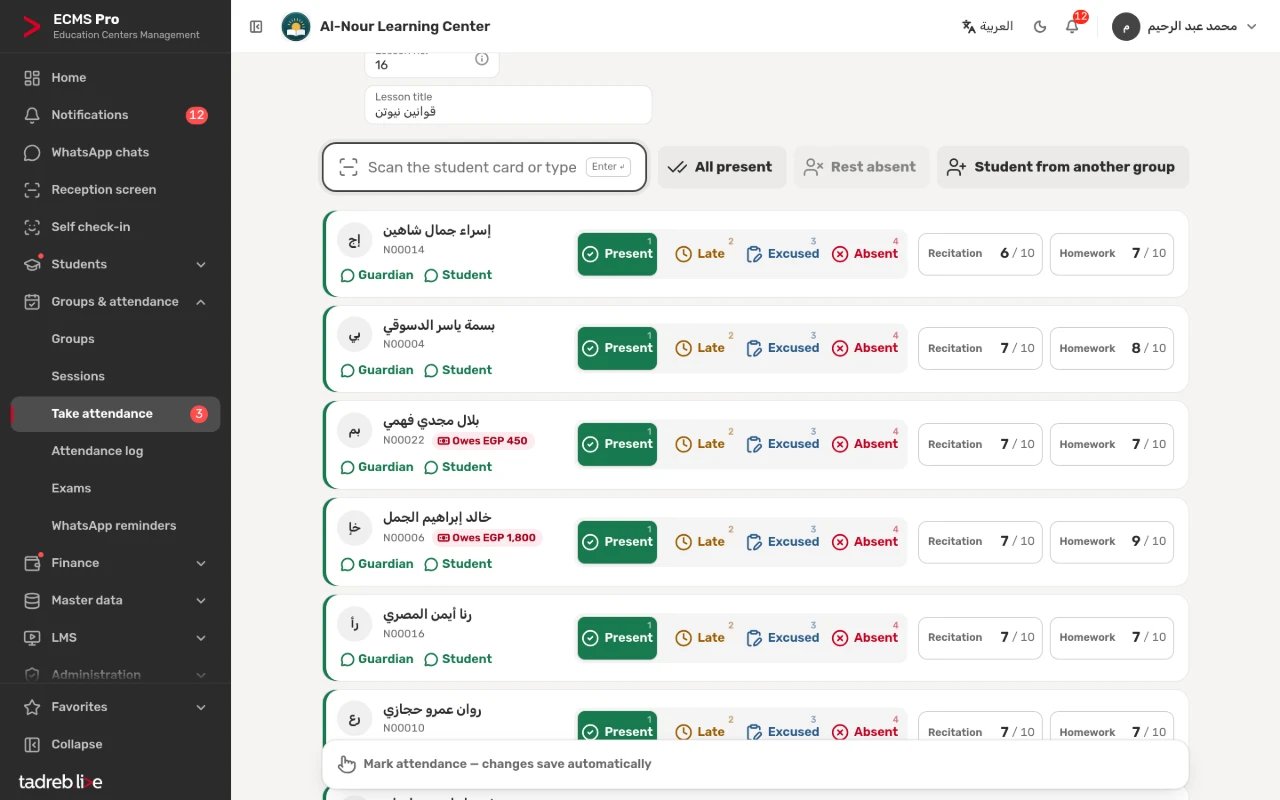
- Recitation and homework are typed on the session register, next to attendance.
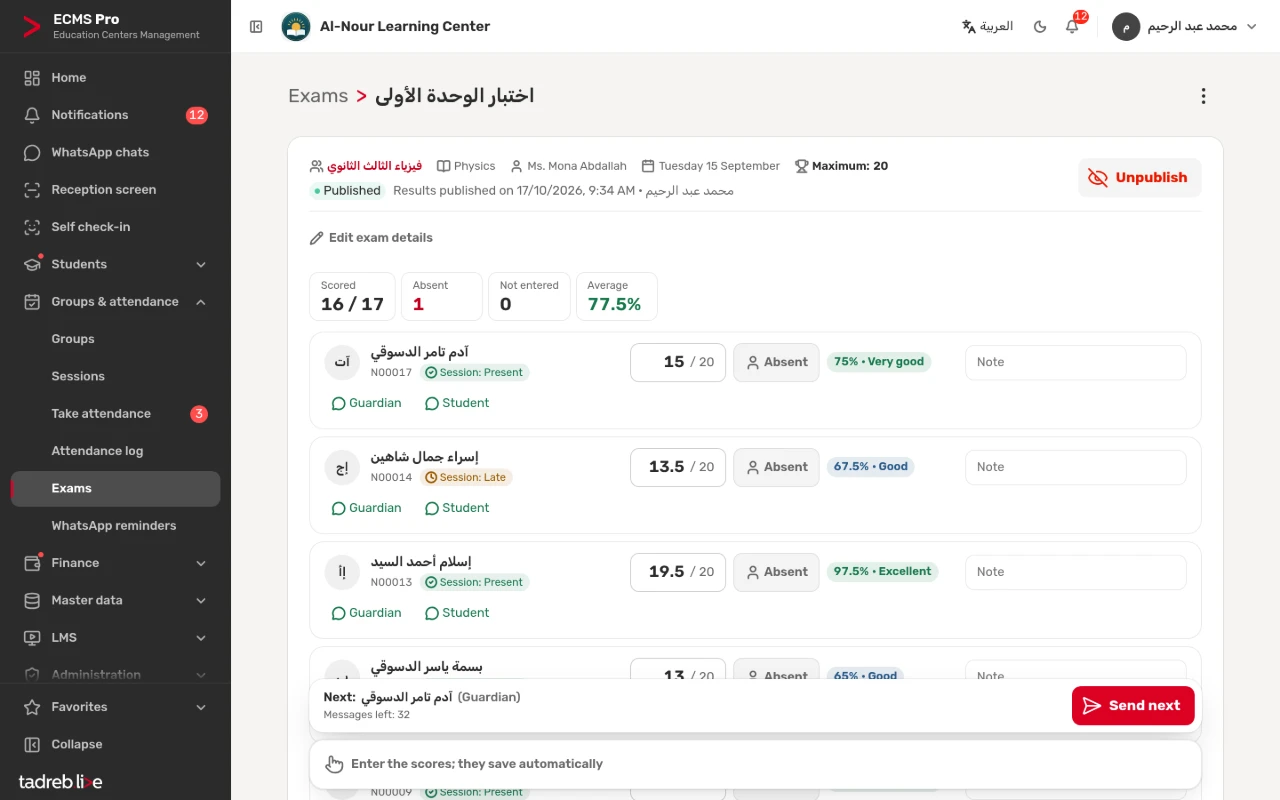
- Exams are scored on the exam sheet, and show once published.
How the link reaches the parent
In the texts that come with the system, the link closes every marks message and exam-result message, so each message after a session reminds the parent of their child’s page.
You can also copy it from the student page → “Marks” → “Results link”, or open it to see what the parent sees.
Stopping a link
If a link reaches someone who should not see it, press “Create a new link”: the old link stops at once, and earlier messages no longer open the page. Archiving the student stops their link too.
The link or the portal?
- The results link opens without signing in, and shows marks and attendance only.
- The student and guardian portal is entered with the mobile number registered at the center and a verification code, and shows all of a parent’s children: attendance, marks, exams, schedules, the learning platform and, if you choose, dues. The portal stays off until your center turns it on.
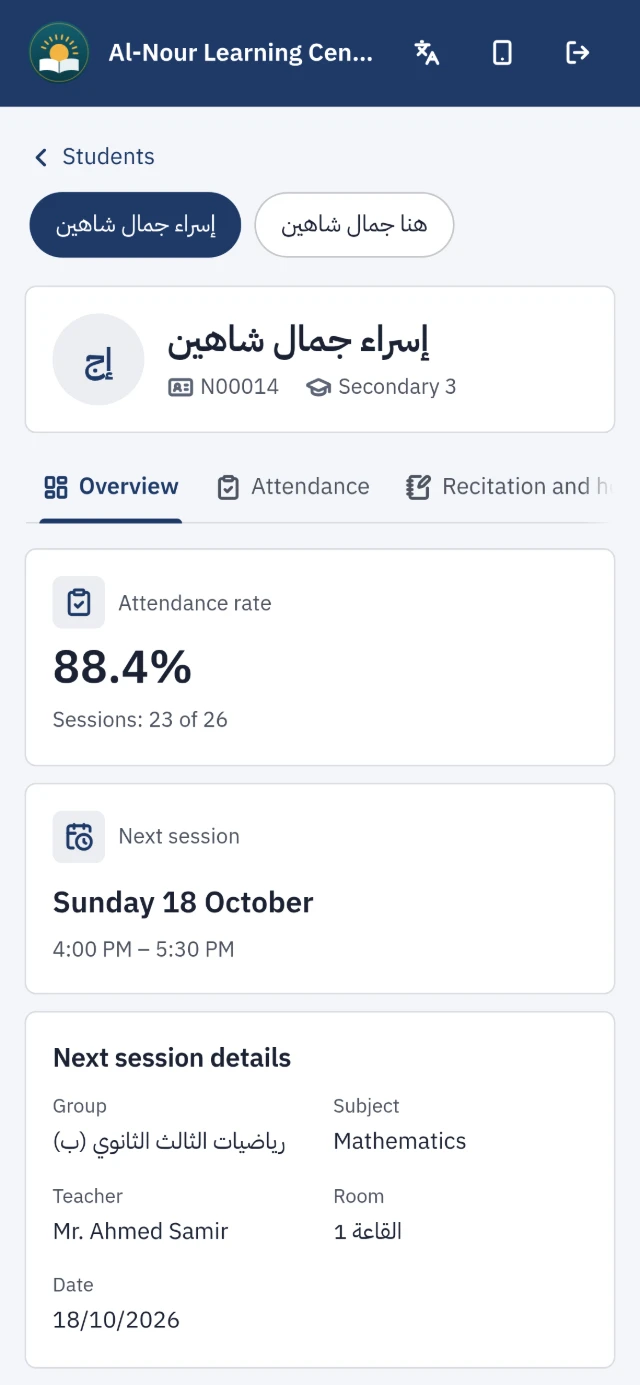
The link is enough for most parents; the portal is for those who want the full picture of all their children.
The detailed steps are in the help center: Recitation, homework, exams and the results link and Turn on the student and guardian portal.