Student attendance with QR cards: a practical guide for education centers
At many centers attendance starts with a sheet passed around the room, then copied into a notebook or an Excel file at the end of the day. Minutes are lost in every session, and parents learn about an absence too late.
A student card with a QR code takes a shortcut: one scan checks the student in on the session register, or on a device at the door. Here is what you need, and how it works in ECMS Pro.
A card for every student
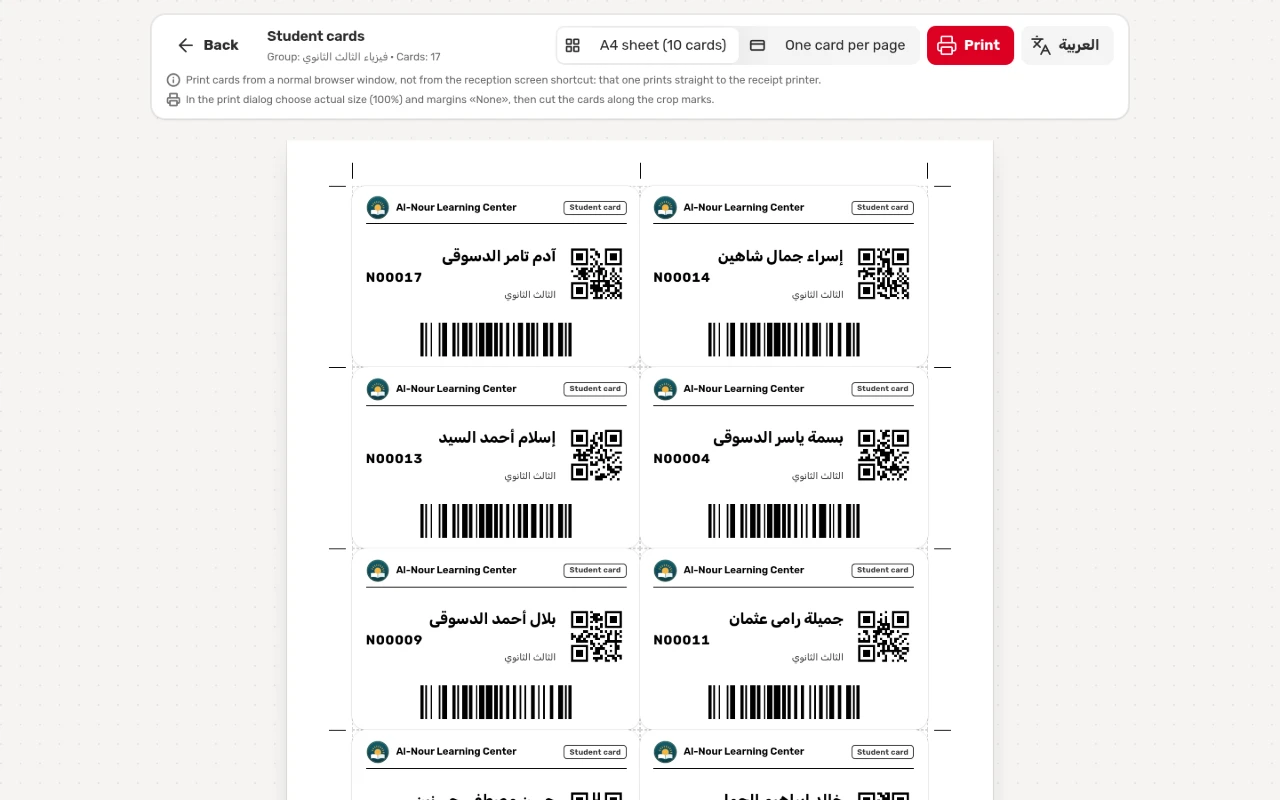
Each card carries the center’s logo and name, the student’s name, code and grade, a QR code and a barcode. Both codes hold the student code only, so the card carries no private data.
Print a whole group’s cards from its page: ten cards on an A4 sheet with crop marks, or one card per page for a PVC card printer.
On the register: a scan or a tap
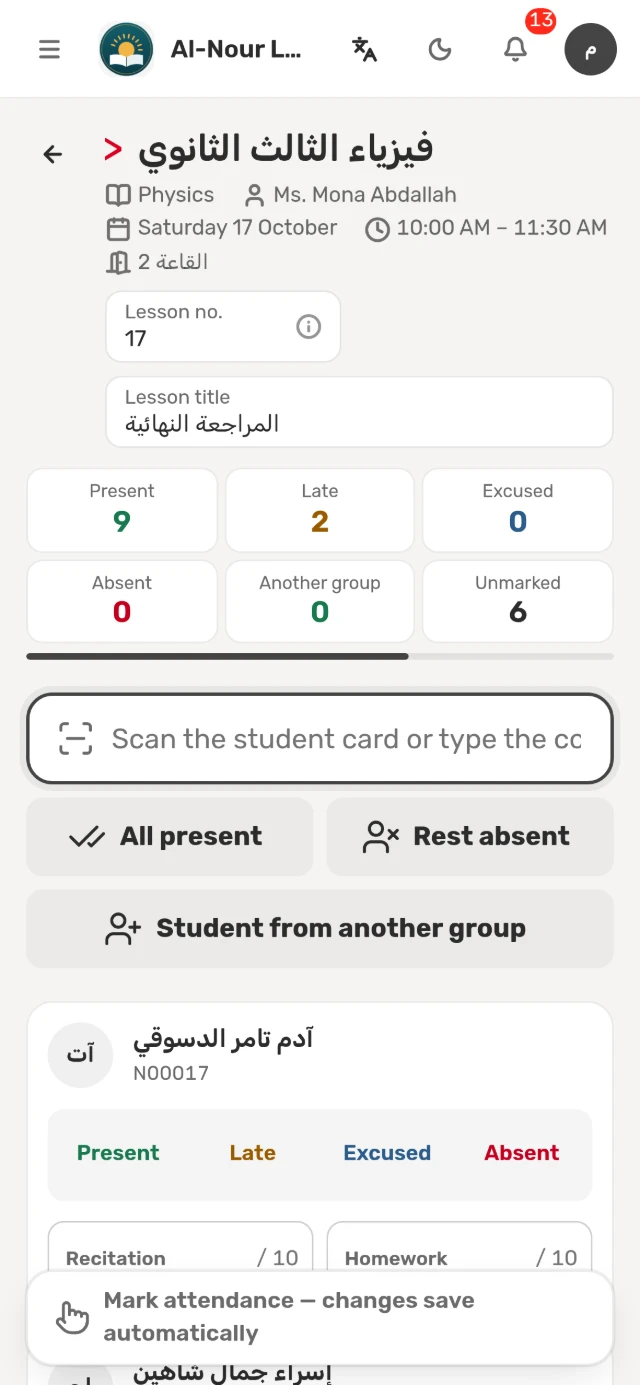
Open “Take attendance” to see today’s sessions with their state, then open the session. Every student has four statuses: present, late, excused and absent.
- A card scan: scan it with a scanner, or type the code, and the student is marked present, or late according to the time you set.
- The keyboard: pick a student and press 1, 2, 3 or 4.
- “All present” and “Rest absent” finish the register in one tap, and changes save automatically.
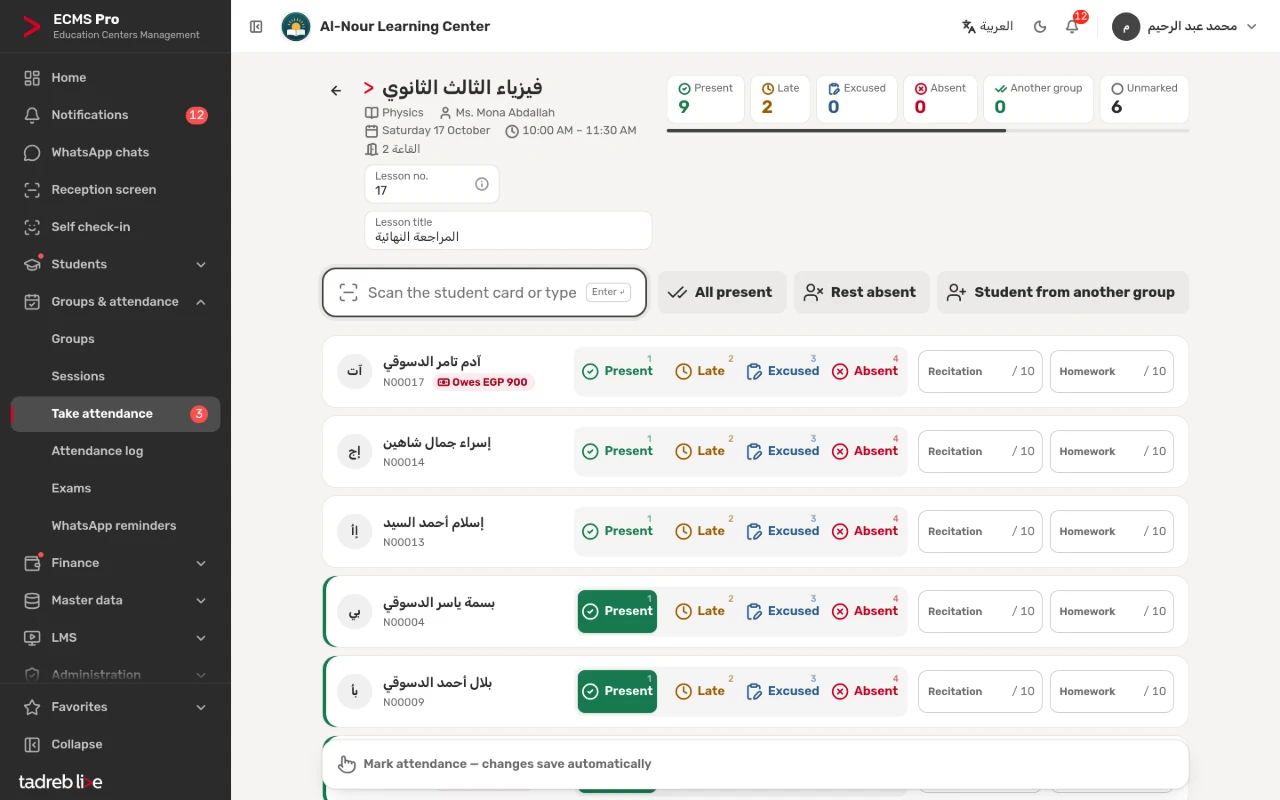
You do not need a scanner to start: typing the code or tapping the status is enough, and a scanner just makes it faster.
At the door: self check-in
Put a device at the center’s entrance showing “Scan your card”. The student scans their card, is greeted by name and is checked in to their current session. Check-in opens before the session by the time you set, and students count as late after the number of minutes you choose.
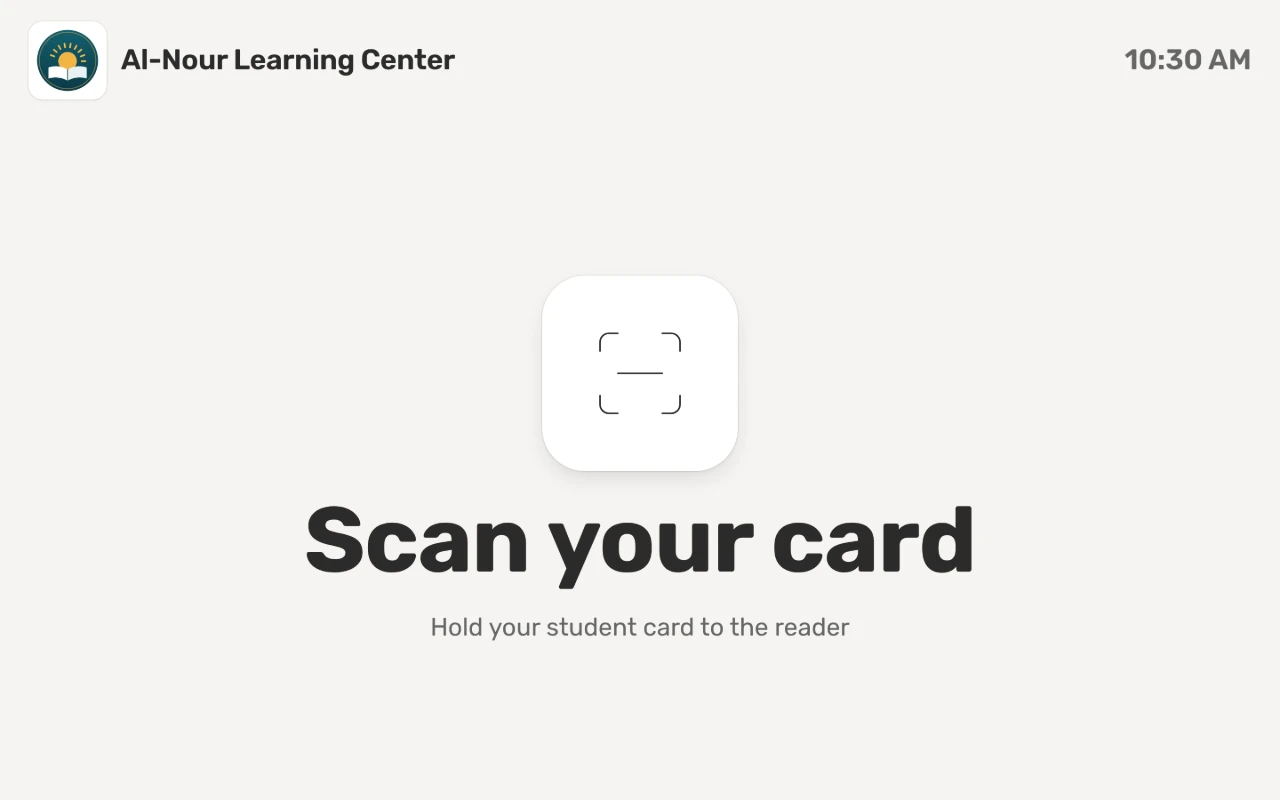
The device never shows amounts or marks, and it has an account of its own that opens only the self check-in page. A student with no session now is told to see the front desk.
When a student attends with another group
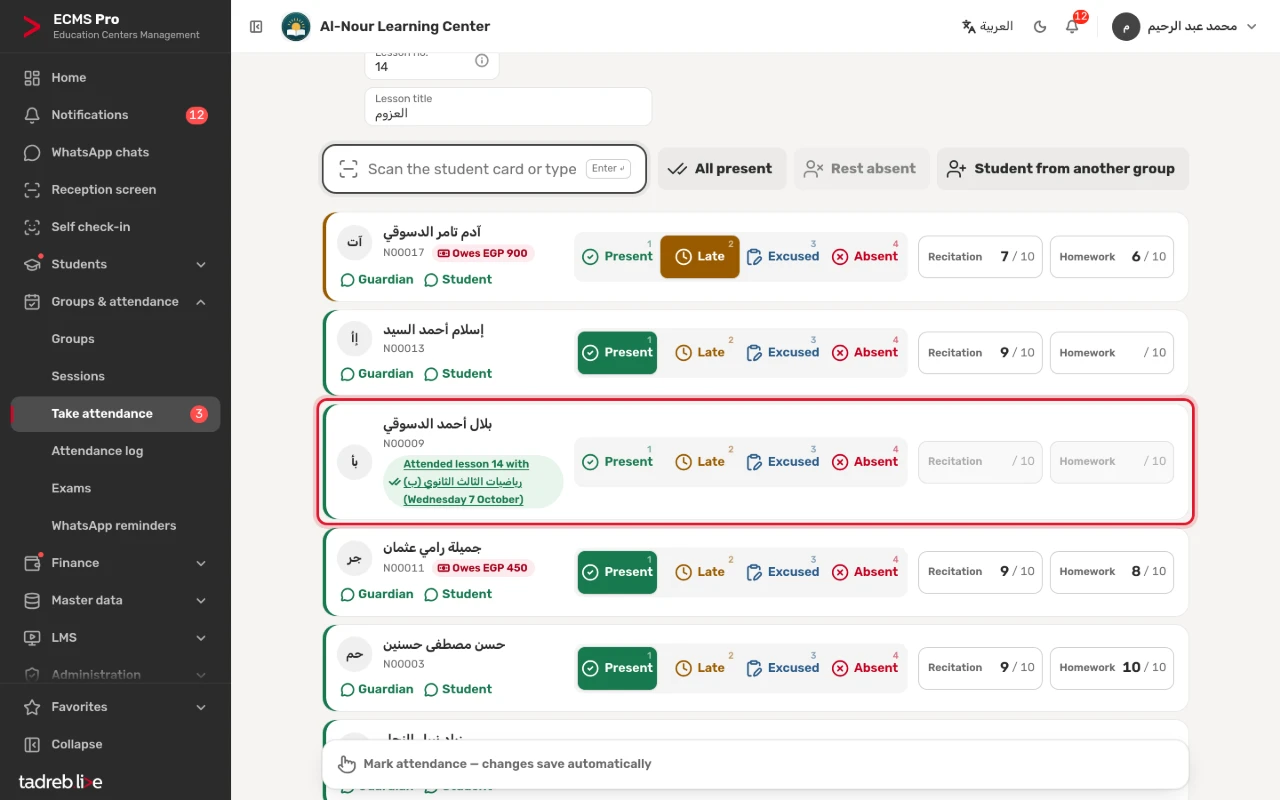
Students often miss their own group’s session and attend the same lesson with another group. Add them to that register as a free make-up. When both sessions carry the same lesson number, in groups with the same teacher, subject and grade, the student is not counted absent in their own group.
From a phone, too
The system runs in the browser on a computer or a phone, so a teacher or an assistant takes attendance from a phone with the same statuses and the code box.
After attendance: the parent’s message
Once the register is saved, the absence message is ready for every absent student, and the marks message for every present one when marks are on. With WhatsApp Business they go straight from the center’s number in one tap, or automatically if you want.
What you need to start
- An office printer for A4 cards, or a PVC card printer if you want sturdy cards.
- A USB scanner in keyboard mode (optional).
- A device at the door for self check-in (optional).
The detailed steps are in the help center: Take attendance on the session register and The self check-in device and student cards. You can try all of it at your center for 14 days free, with no payment details.