Collecting fees at an education center: from the notebook to the numbered receipt
“Has my son paid this month?” is a question every center hears when it collects fees with a notebook and handwritten receipts. At the end of the month comes a harder one: who is behind on fees, and by how much?
Here is what changes when every student’s dues are always up to date, and every payment gets a numbered receipt.
A payment plan per enrollment
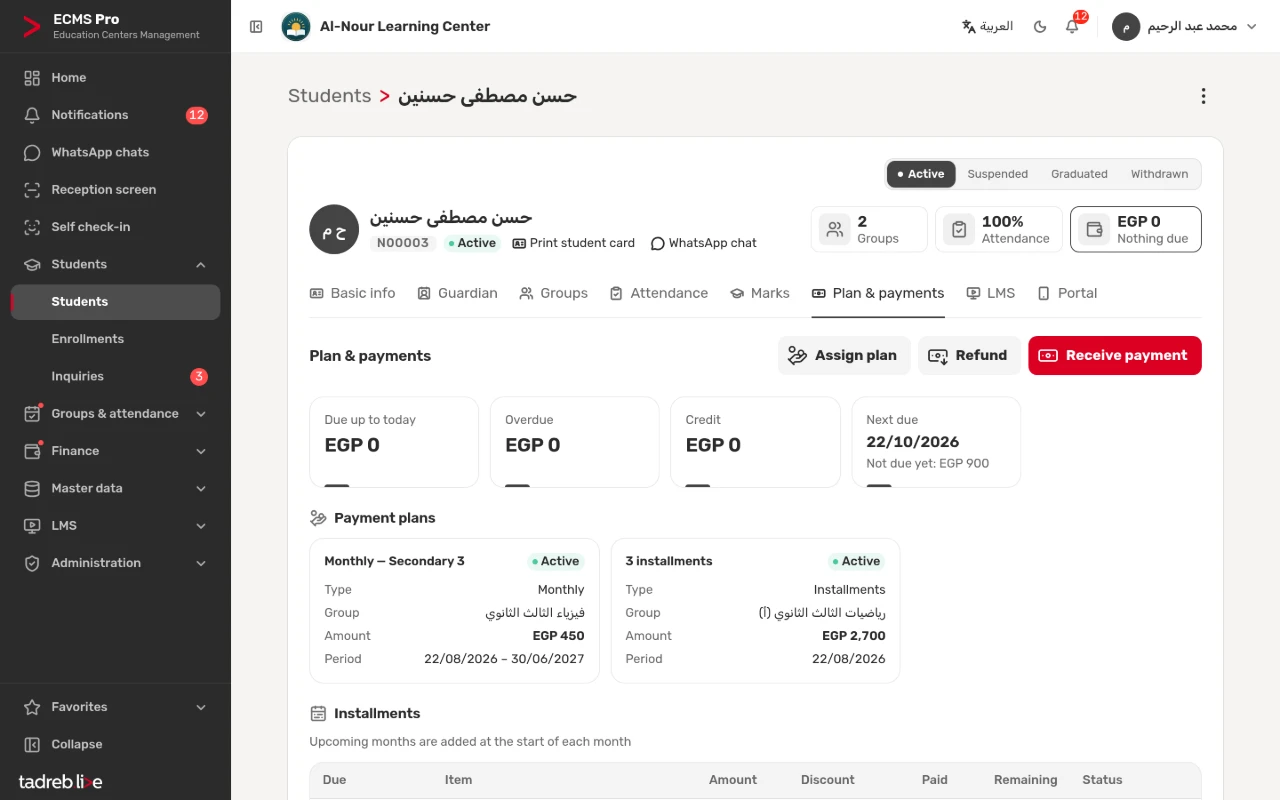
Every group has a payment plan, and a student can differ from their group: monthly, per session, full course or installments, with a registration fee, discounts and a due day.
On monthly plans each month’s fee is added automatically at its start, and future months are never charged early. Anything a student overpays stays as credit and is applied to the coming months.
Collecting at the reception screen
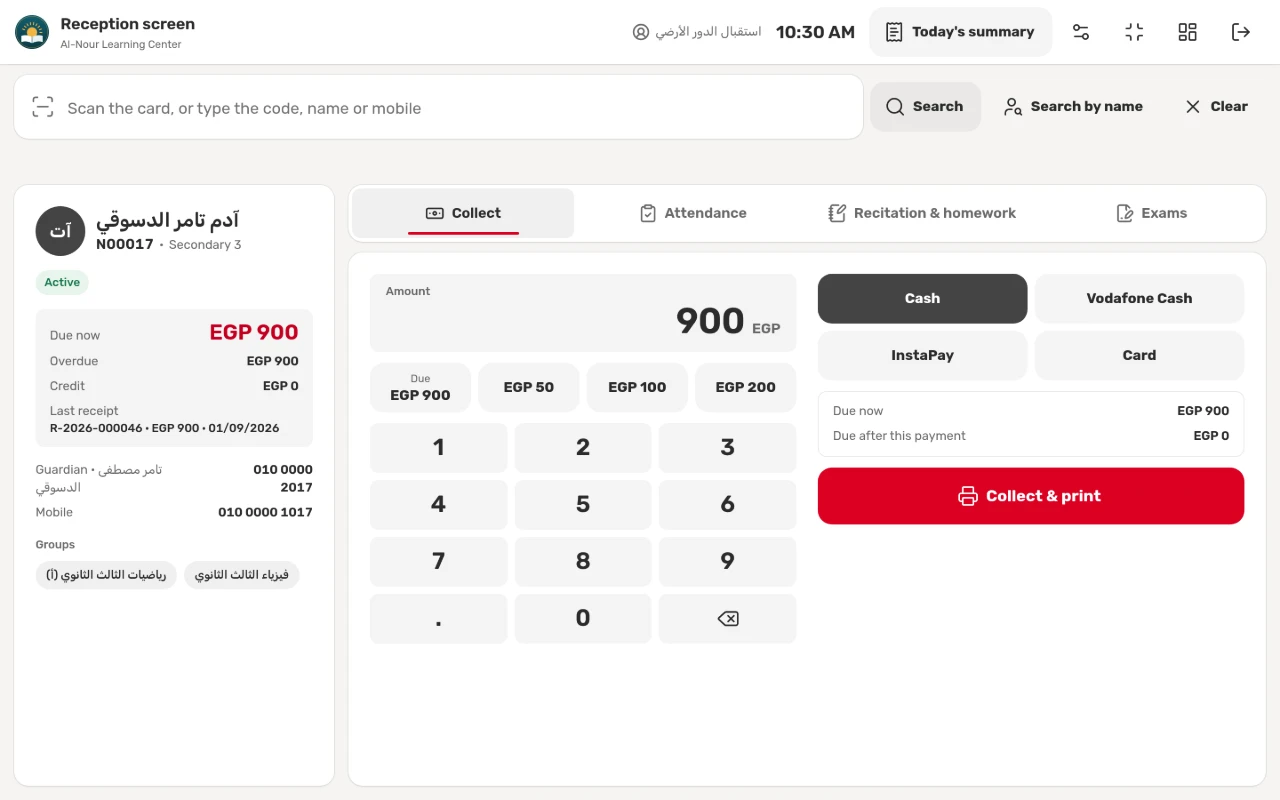
- Scan the student’s card, or type the code, name or mobile number, to see what is due now, overdue amounts and credit.
- Press a quick amount such as “Due”, or type the amount on the keypad.
- Choose a payment method your center accepts, such as cash, Vodafone Cash and InstaPay.
- Check what remains after the payment, then press “Collect & print”.
If the connection drops before a payment is confirmed, the screen keeps the payment until it confirms it was recorded, so it is never recorded twice.
A numbered receipt for every payment
The receipt prints at once on an 80 mm or 58 mm thermal printer, or on A5 paper. Every receipt has a sequential number and carries the center’s logo, the student’s details, the lines and the total, what was due after the payment, and a QR code that opens a copy on the parent’s phone. A payment recorded by mistake is voided, and its receipt keeps its number, marked void.
Today’s summary at closing
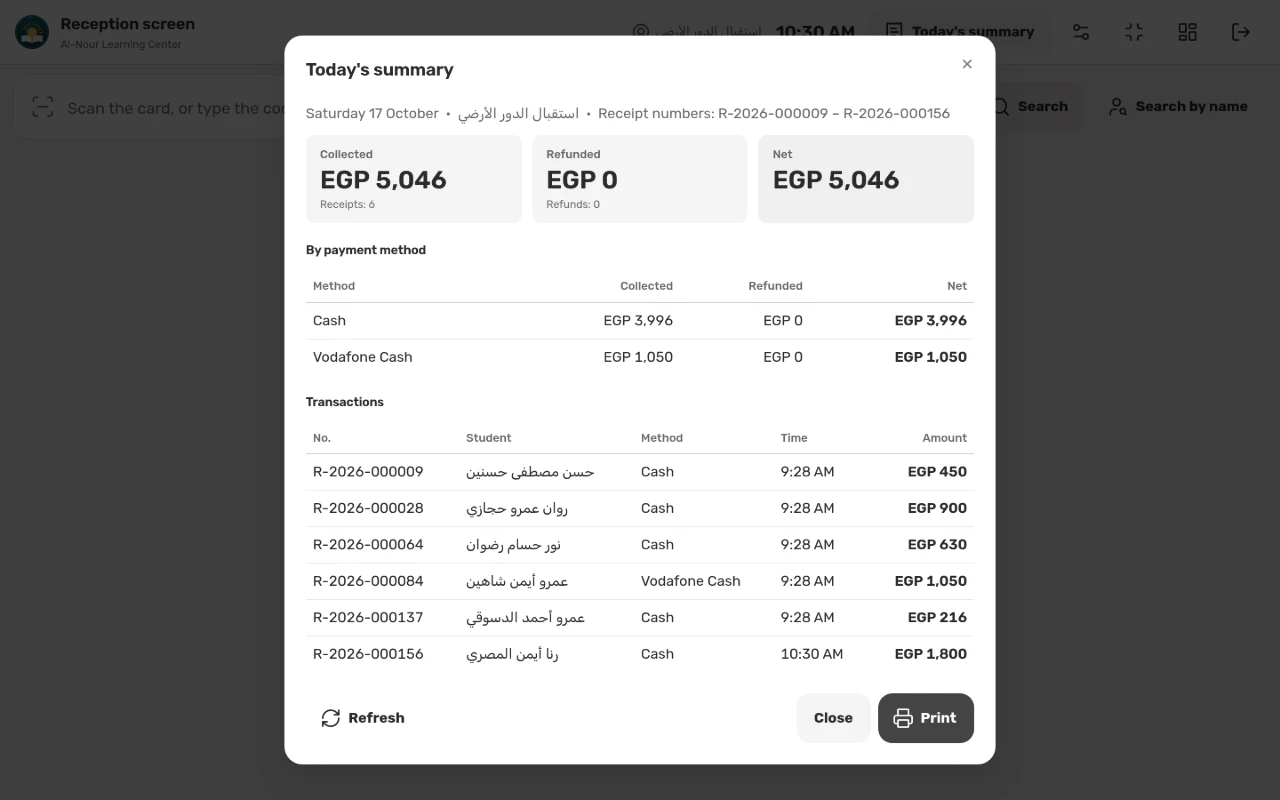
Each staff member prints “Today’s summary”: collected, refunded and net by payment method, every receipt with its number and time, and a line for the receiver’s signature. Checking the cash box becomes a quick match between the sheet and the money.
Overdue amounts always in view
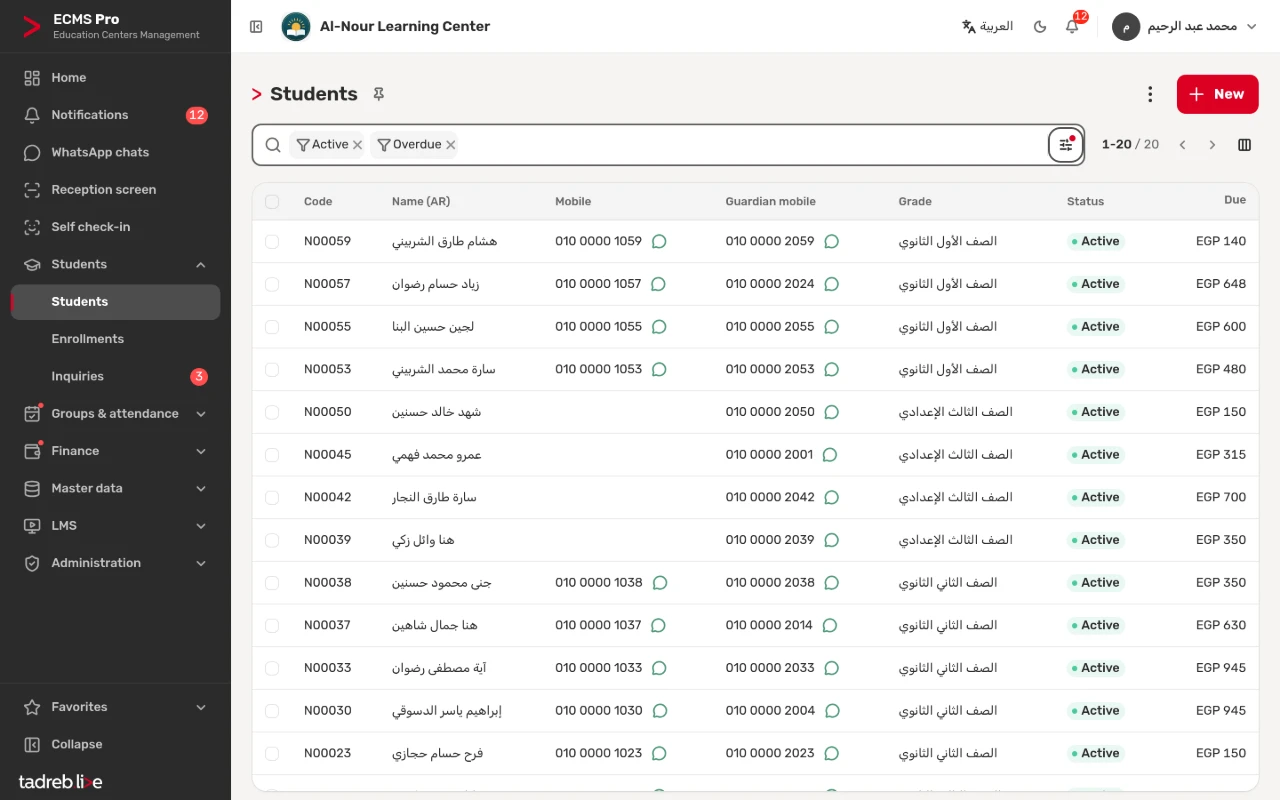
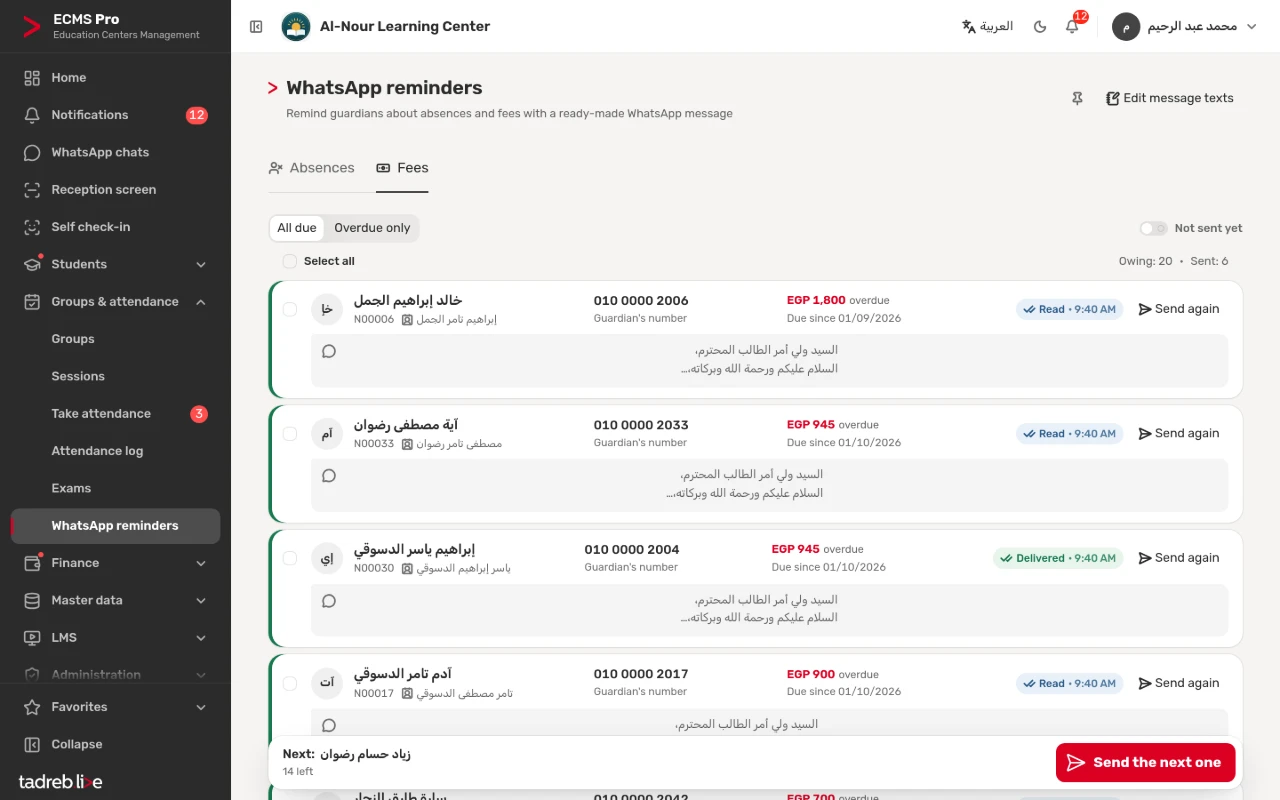
An installment becomes overdue after the grace days you set, and overdue students show on the home page and in the students list with one filter, each with what they owe. A daily overdue summary reaches the users who see amounts.
From the “WhatsApp reminders” page, a formal message with the amount goes to the parent of every overdue student, one tap per message.
Refunds with their own voucher
Refund from the student’s credit or from paid items you pick, with an optional deduction the center keeps and a numbered refund voucher. You can withdraw the student from all their groups in the same step. Registration fees are not refunded.
Teachers never see the money
Dues and payments never show to a teacher, on any screen, in search or in exports. Teachers take attendance and enter marks for their groups, and the money stays with the staff who collect and check it.
The detailed steps are in the help center: Collecting payments, receipts and today’s summary and Payment plans, dues, credit and refunds.