Center settings: identity, logo and receipt
“Center settings” holds your center’s details that every user sees and that are printed on receipts. Open it from “Administration” → “Center settings”, pick the section from the page’s side list, and press “Save” after each change.
1. Identity: the center’s name and logo
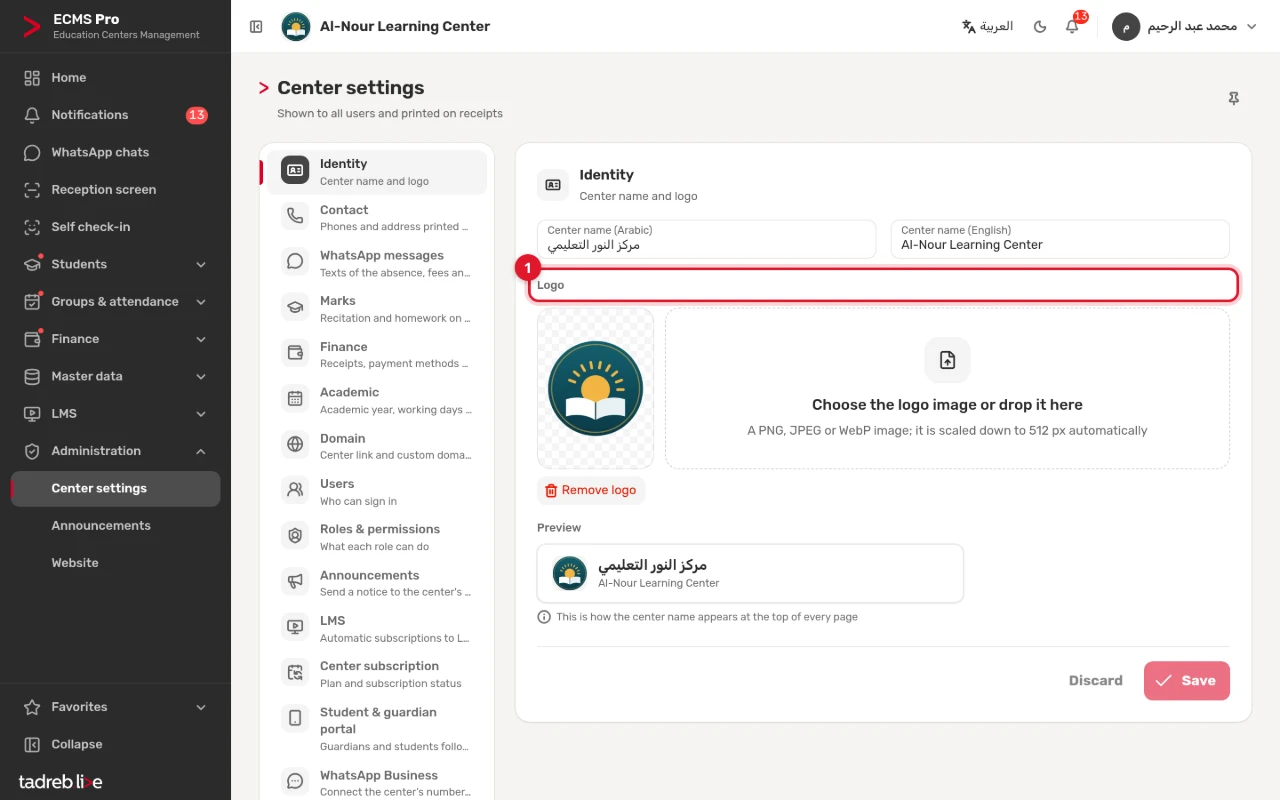
Under “Identity”, enter the “Center name (Arabic)” and the “Center name (English)”, then choose the logo image or drop it on “Logo”: a PNG, JPEG or WebP image, scaled down to 512 px automatically. The “Preview” shows the center’s name as it will appear at the top of every page.
2. Contact: what is printed on the receipt
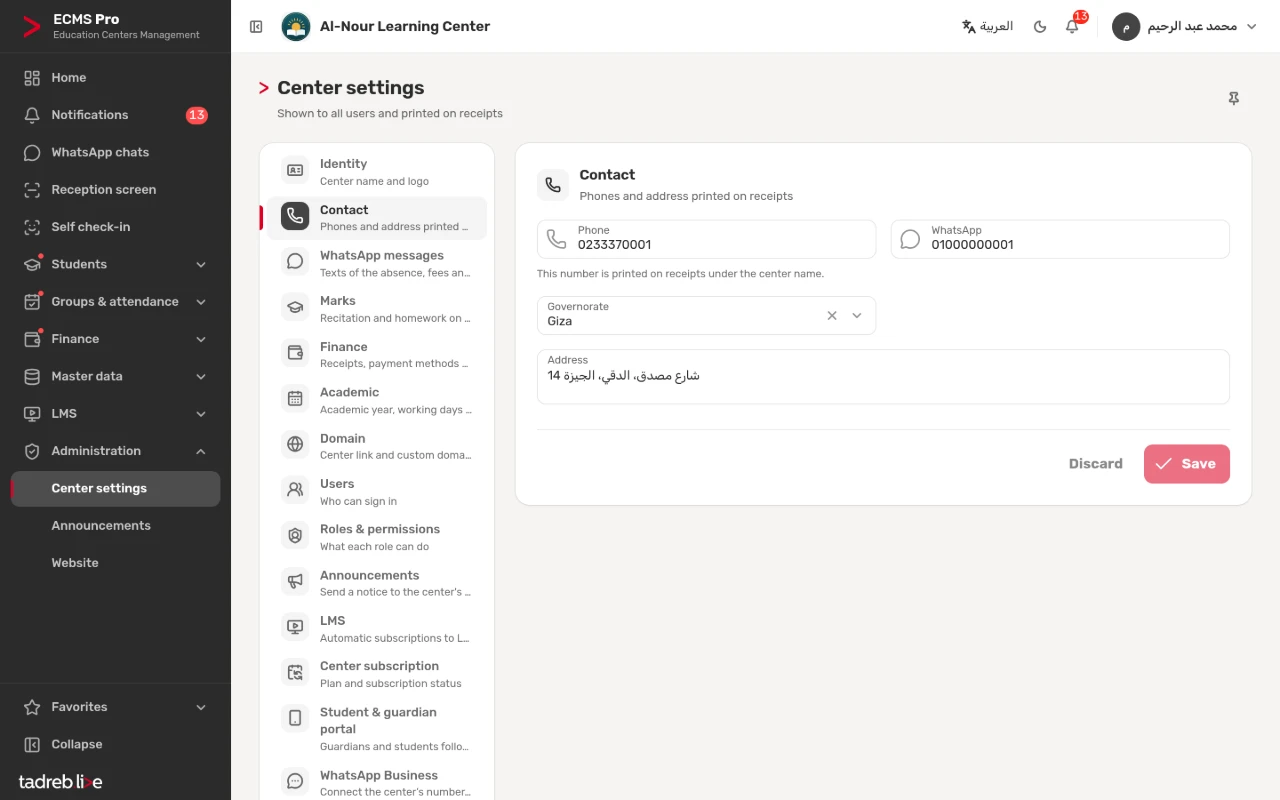
Under “Contact”, enter the “Phone”, the “Address” and the “Governorate”. The phone is printed on receipts under the center name, with the address.
3. Finance: the receipt and the payment methods
Under “Finance”:
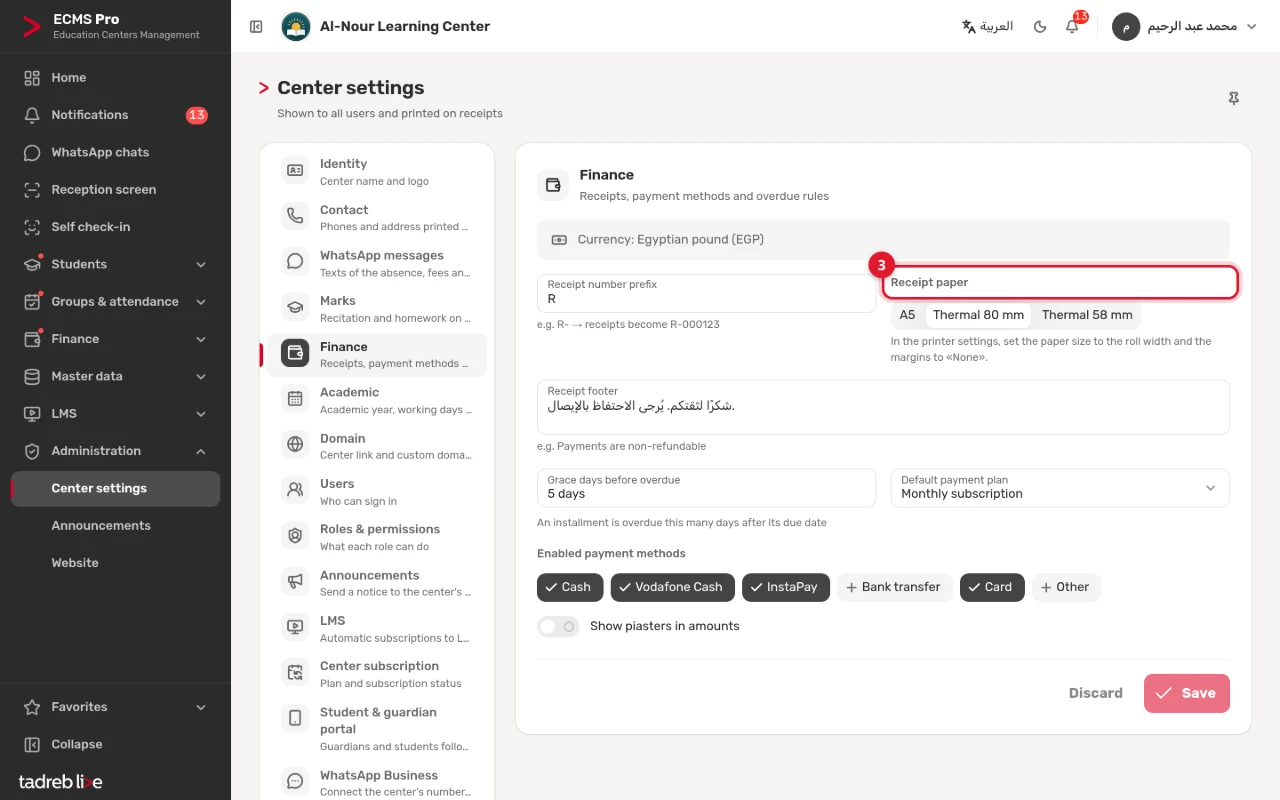
- “Receipt paper”: “A5”, “Thermal 80 mm” or “Thermal 58 mm”.
- “Receipt number prefix”: such as R-, so receipts become R-000123.
- “Receipt footer”: a line printed at the bottom of every receipt.
- “Grace days before overdue”: an installment is overdue this many days after its due date.
- “Default payment plan” and “Enabled payment methods” (such as cash, Vodafone Cash and InstaPay), and “Show piasters in amounts”.
4. How the receipt looks
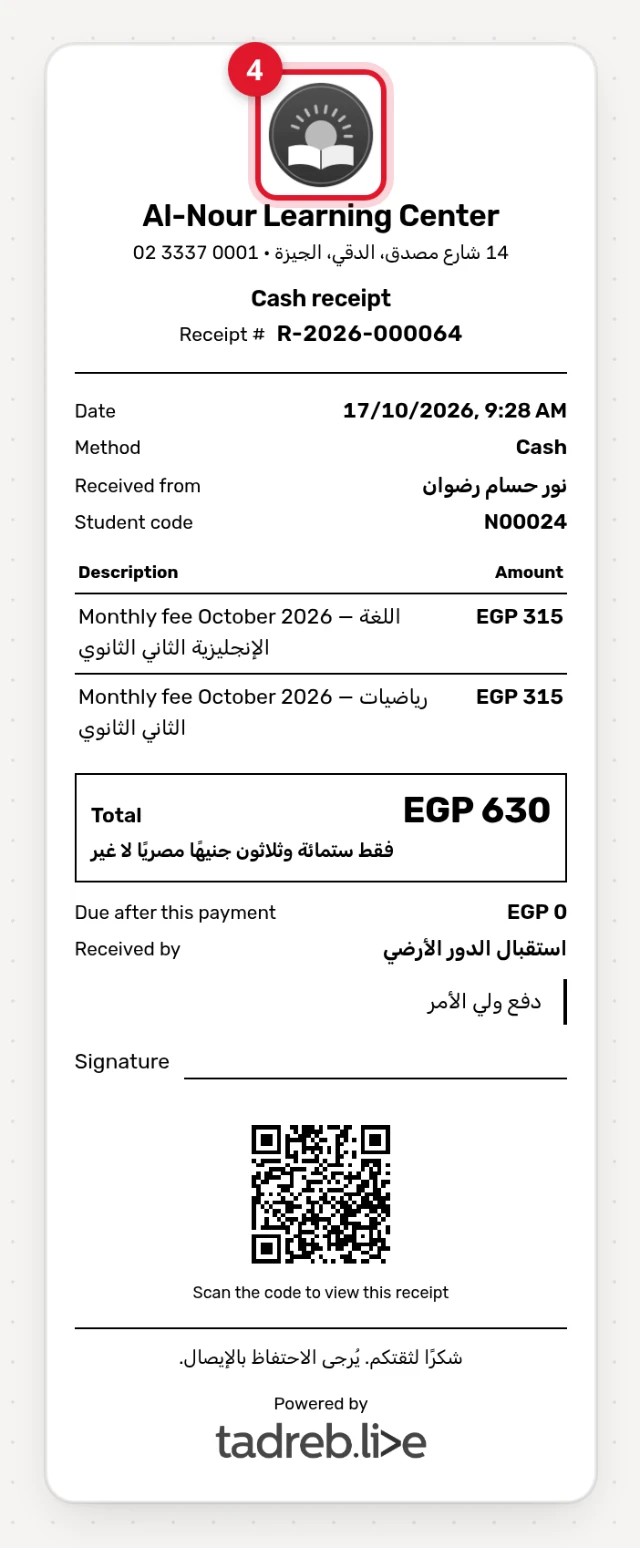
Every receipt carries the center’s logo, name, phone and address, its title (a cash receipt or a payment receipt) and number, the student’s details, the lines and the total in figures and words, what is due after the payment, a QR code that opens a copy on a phone, then your footer.
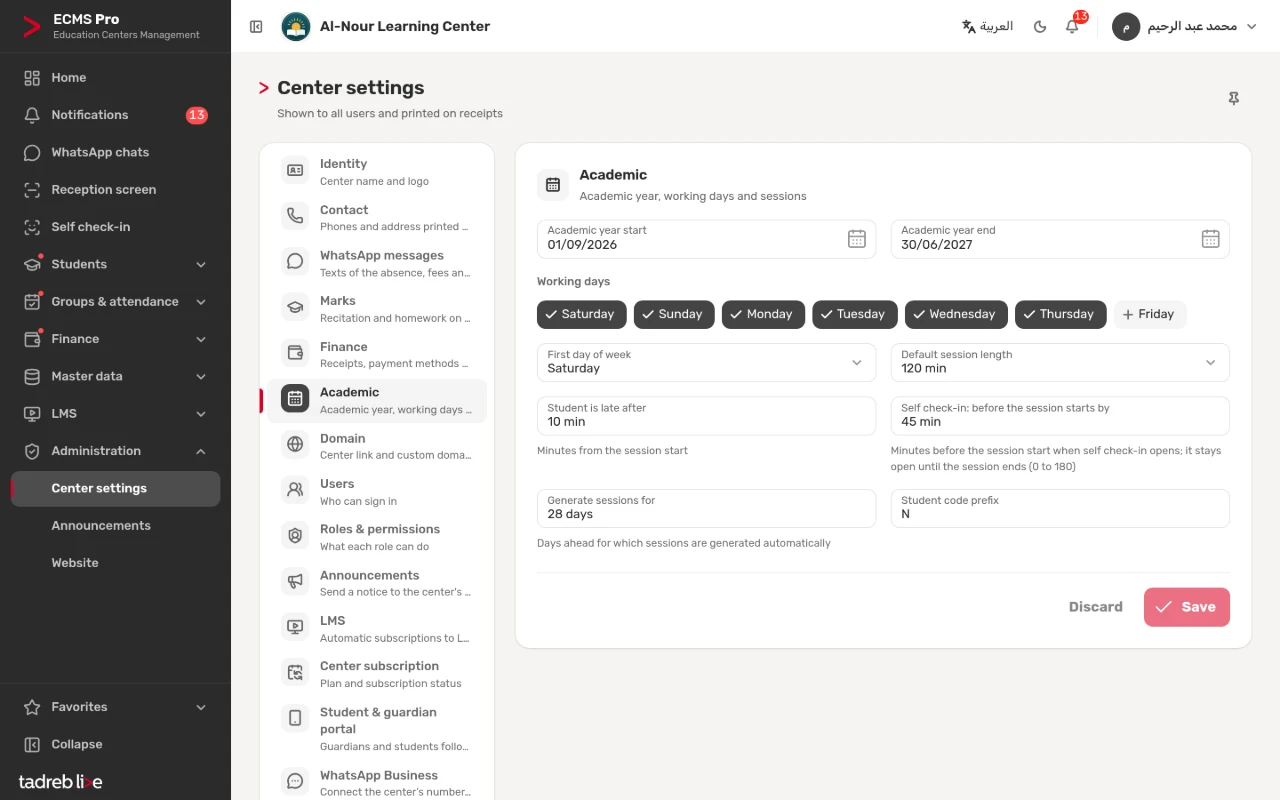
5. Academic: the academic year and the sessions
Under “Academic”:
- “Academic year start” and “Academic year end”, the “Working days” and the “First day of week”.
- “Default session length” in minutes.
- “Student is late after” and “Self check-in: before the session starts by”, in minutes.
- “Generate sessions for”: the days ahead for which sessions are generated automatically.
- “Student code prefix”.
Other sections of the center settings
“Marks” (see “Recitation, homework, exams and the results link”), “WhatsApp messages” and “WhatsApp Business”, “Users” and “Roles & permissions”, “Announcements” (see “Notifications and announcements”), “Domain”, “LMS”, “Student & guardian portal” and “Center subscription”. Each has its own guide in the help center.